
- Your cart is empty
- Continue Shopping
Ultra Realistic Positano Amalfi Coast AI Photo Prompt | Travel Portrait Prompt with Face Lock
- ai prompt, Blog
- Posted on
-
by GraphicsMart
- 0 comments
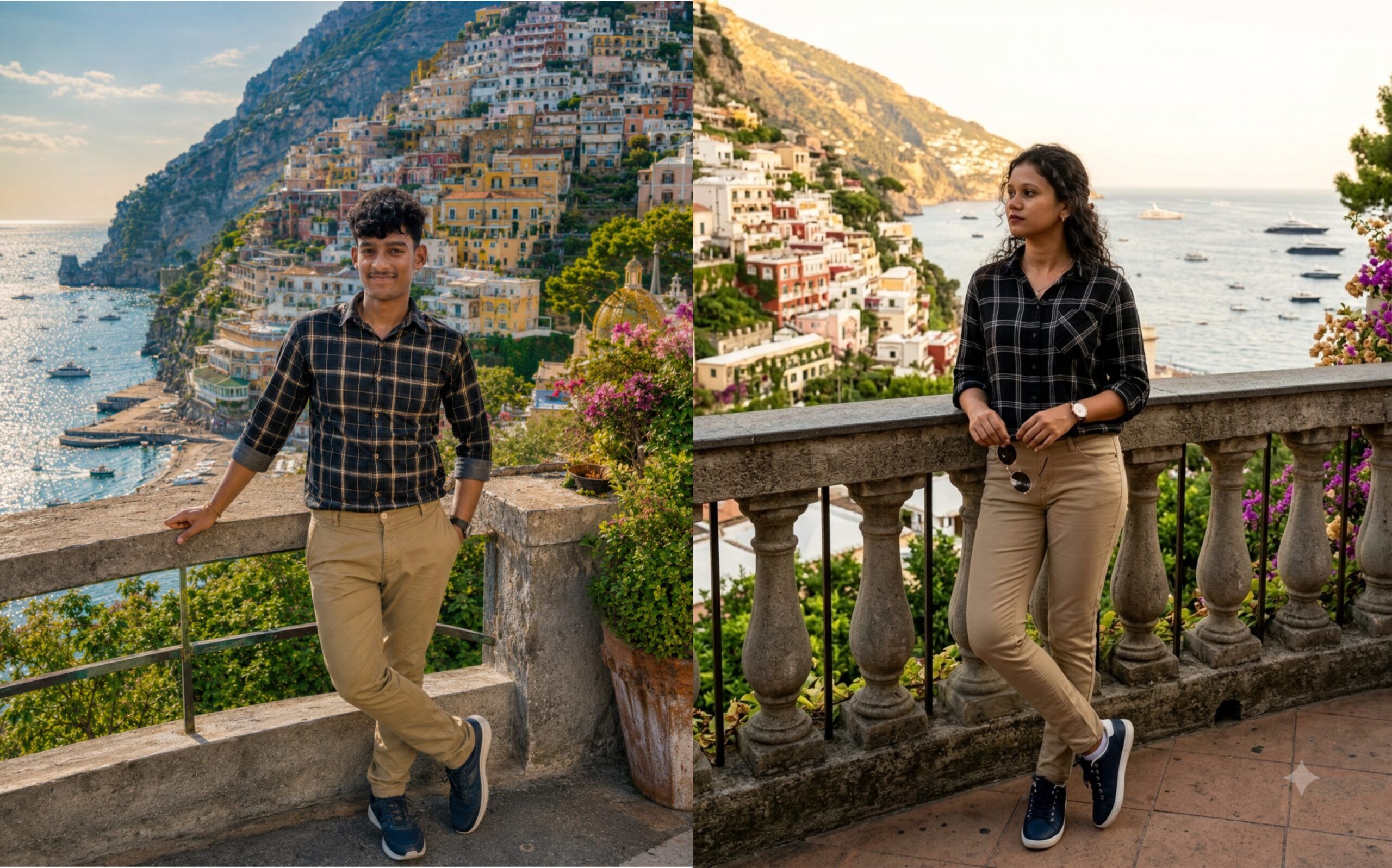
Ultra Realistic Positano Amalfi Coast AI Photo Prompt | Travel Portrait Prompt with Face Lock
Product Description
Generate an amazing Ultra Realistic Positano Amalfi Coast Travel Portrait with this premium AI image prompt. This prompt is specially designed to create high-end cinematic travel photos while preserving the exact facial identity from the uploaded image.
The prompt includes an advanced 100% Face Lock System that helps maintain the original face shape, hairstyle, skin tone, facial features, and natural expression. It creates a luxury travel portrait overlooking the beautiful Positano, Amalfi Coast, Italy, featuring colourful cliffside houses, sparkling Mediterranean Sea, luxury yachts, blooming flowers, and warm golden-hour lighting.
The subject wears a stylish black plaid shirt, khaki trousers, and dark blue sneakers while posing naturally against a scenic stone railing. The prompt also includes professional DSLR camera settings, HDR lighting, realistic shadows, depth of field, and a detailed negative prompt to minimise AI errors such as face distortion, extra fingers, blurry backgrounds, low-quality rendering, and unrealistic anatomy.
Perfect for creating premium travel portraits using ChatGPT, Gemini, Flux, Midjourney, Stable Diffusion, Ideogram, and other AI image generators.
Product Highlights
- ✅ Ultra Realistic AI Travel Prompt
- ✅ 100% Face Identity Lock
- ✅ Positano Amalfi Coast Background
- ✅ DSLR Photography Style
- ✅ Golden Hour Cinematic Lighting
- ✅ 8K Ultra HD Quality
- ✅ Detailed Negative Prompt Included
- ✅ Copy & Paste Ready Prompt
- ✅ Works with Multiple AI Image Generators
- ✅ Premium Travel Portrait Style
Focus Keywords
- Positano AI Prompt
- Amalfi Coast AI Prompt
- Ultra Realistic Travel Portrait
- Face Lock AI Prompt
- Cinematic AI Portrait
- ChatGPT Image Prompt
- Gemini AI Prompt
- Travel Photography Prompt
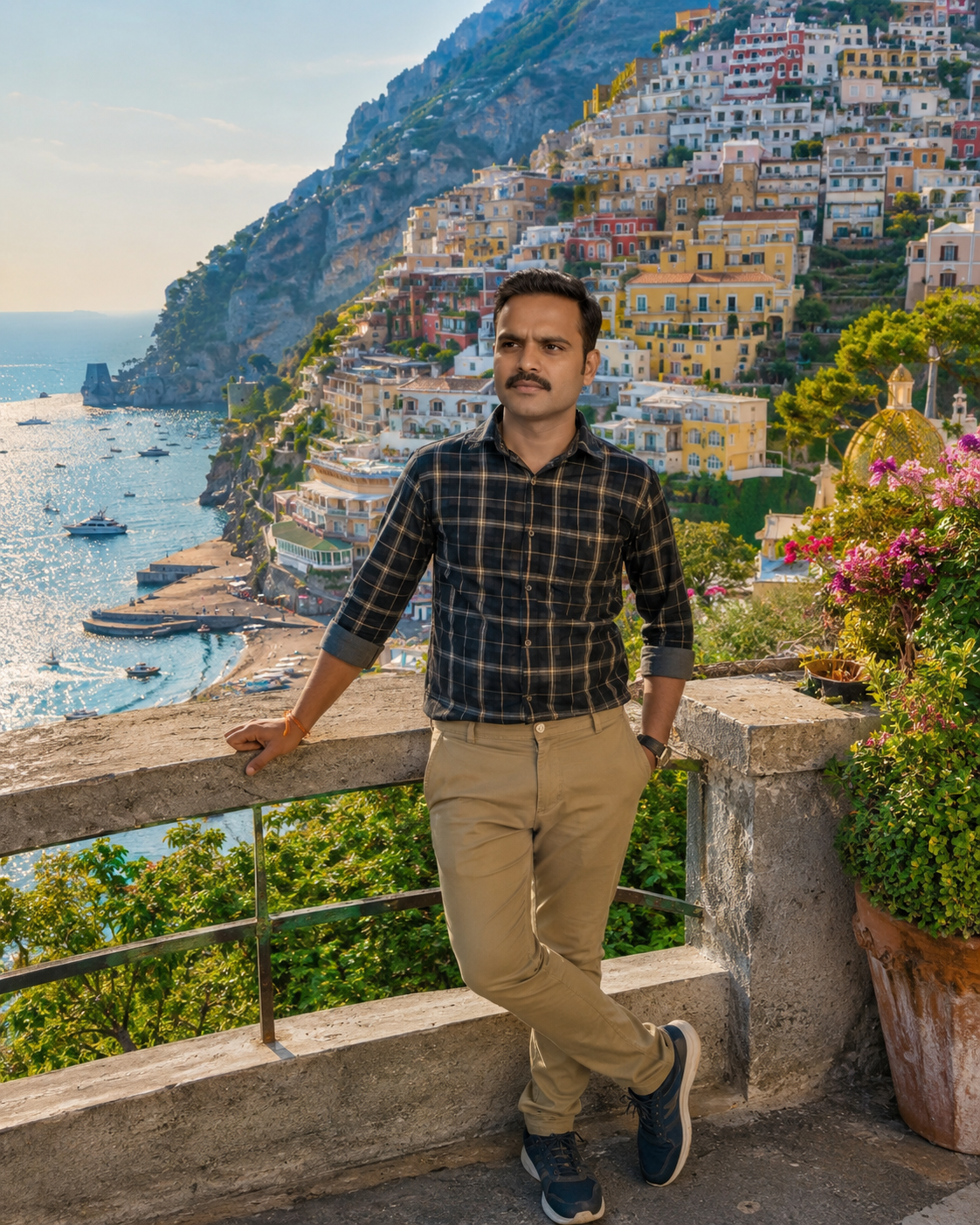
✨ AI Image Prompt
Create an ultra-realistic premium travel portrait using the uploaded photo as the ONLY face reference.
⚠️ IMPORTANT FACE LOCK:
Maintain 100% identical facial identity from the uploaded image. Preserve the exact face shape, forehead, hairstyle, hair texture, hairline, eyebrows, eyes, eyelashes, nose, lips, smile, ears, jawline, skin tone, facial proportions, age, and natural expression. Do not beautify, alter, or replace the face. The generated face must instantly match the uploaded person.
Scene:
The young man is standing at a scenic viewpoint overlooking Positano, Amalfi Coast, Italy. He is standing in a relaxed crossed-leg pose while leaning naturally against an elegant stone railing with one hand resting on the railing and the other inside his trouser pocket. He is looking into the distance with a confident, stylish attitude.
Outfit:
• Black plaid/checkered shirt with rolled-up sleeves
• Khaki slim-fit trousers
• Dark blue sneakers with white borders
• Premium wristwatch
• Natural stylish curly hairstyle exactly matching the uploaded image
Background:
A breathtaking panoramic view of Positano, Amalfi Coast, Italy featuring colorful cliffside houses cascading toward the sparkling Mediterranean Sea, blooming flowers, lush greenery, luxury yachts, small boats, dramatic coastline, blue ocean, elegant stone terrace, vibrant Italian architecture, and warm golden-hour sunset lighting.
Photography Style:
Ultra-realistic DSLR travel photography, 35mm lens, HDR, natural skin texture, cinematic composition, crystal-clear background, sharp focus, depth of field, realistic shadows, premium color grading, soft golden sunlight, vibrant colours, magazine-quality, luxury travel aesthetic, extremely detailed, 8K UHD.
Camera Settings:
Canon EOS R5, RF 35mm f/1.4L Lens, f/2.8, ISO 100, 1/500s shutter speed.
Aspect Ratio:
4:5 Portrait
NEGATIVE PROMPT
low quality, blurry, pixelated, soft focus, bad anatomy, deformed face, different face, face swap, altered facial features, wrong hairstyle, wrong hairline, extra fingers, missing fingers, extra arms, extra legs, duplicate person, cropped body, bad hands, crossed eyes, lazy eye, asymmetrical face, over-smoothed skin, plastic skin, cartoon, anime, CGI, 3D render, painting, illustration, low resolution, watermark, logo, text, signature, oversaturated colours, overexposed, underexposed, noise, grain, compression artifacts, distorted background, unrealistic lighting, incorrect perspective, floating objects, poorly drawn clothes, unrealistic pose, duplicate accessories, unnatural smile, stretched limbs, tilted horizon, blurry background, low detail, out of frame.
ChatGPT से यह AI फोटो कैसे बनाएं? (स्टेप बाय स्टेप हिंदी गाइड)
स्टेप 1: अपनी फोटो तैयार करें
- एक साफ (HD) फोटो रखें।
- चेहरा पूरी तरह दिखाई देना चाहिए।
- फोटो धुंधली (Blur) नहीं होनी चाहिए।
- चेहरे पर चश्मा, मास्क या बाल नहीं होने चाहिए।
- जितनी अच्छी फोटो होगी, रिज़ल्ट उतना अच्छा आएगा।
स्टेप 2: ChatGPT खोलें
- अपने अकाउंट से Login करें।
- GPT-5.5 या Image Generation वाला मॉडल चुनें।
- + (Upload) पर क्लिक करके अपनी फोटो अपलोड करें।
स्टेप 3: Prompt कॉपी करें
- मैंने जो Main Prompt + Negative Prompt दिया है, उसे पूरा कॉपी करें।
- फोटो अपलोड करने के बाद उसे ChatGPT में पेस्ट करें।
- फिर Send बटन पर क्लिक करें।
स्टेप 4: AI फोटो बनने दें
- लगभग 20–60 सेकंड इंतजार करें।
- ChatGPT आपकी फोटो के आधार पर नई AI फोटो बना देगा।
- यदि पहली बार में चेहरा बिल्कुल वैसा न आए तो Generate Again करें।
स्टेप 5: सबसे अच्छा रिज़ल्ट पाने के लिए
✅ हमेशा HD फोटो अपलोड करें।
✅ चेहरा कैमरे की तरफ होना चाहिए।
✅ चेहरे पर ज्यादा Shadow नहीं होनी चाहिए।
✅ Original फोटो का Resolution अच्छा होना चाहिए।
✅ Prompt में दिया गया Face Lock वाला हिस्सा कभी Delete न करें।
✅ Negative Prompt हमेशा साथ में रखें।
स्टेप 6: अगर चेहरा बदल जाए
तो Prompt की शुरुआत में यह लाइन जोड़ दें—
Use the uploaded image as the ONLY face reference. Maintain 100% identical facial identity. Do not change facial features, hairstyle, skin tone, facial proportions, or expression under any circumstances.
इससे AI उसी चेहरे को बनाए रखने की कोशिश करेगा।
स्टेप 7: 4K / 8K क्वालिटी के लिए
Prompt में ये Keywords जरूर रखें—
- Ultra Realistic
- DSLR Photography
- HDR
- 35mm Lens
- Sharp Focus
- Crystal Clear Background
- Golden Hour Lighting
- Cinematic Lighting
- Natural Skin Texture
- 8K UHD
- Hyper Detailed
- Professional Color Grading
स्टेप 8: फोटो डाउनलोड करें
- फोटो बनने के बाद उस पर क्लिक करें।
- Download बटन दबाकर अपने मोबाइल या कंप्यूटर में सेव कर लें।
Gemini AI से कैसे बनाएं?
Step 1
Gemini खोलें और Login करें।
Step 2
अपनी फोटो Upload करें।
Step 3
पूरा Prompt Paste करें।
Step 4
Generate पर क्लिक करें।
Step 5
फोटो तैयार होने के बाद Download कर लें।
प्रो टिप
अगर आप Paris, Dubai, Switzerland, London, New York, Maldives, Bali, Santorini, Positano जैसी अलग-अलग जगहों पर एक ही चेहरे के साथ AI फोटो बनाना चाहते हैं, तो केवल Location और Outfit बदलें। Face Lock और Negative Prompt हमेशा वही रखें। इससे चेहरे की समानता (Face Identity) अधिक बनी रहती है और हर बार बेहतर रिज़ल्ट मिलता है।
