- Your cart is empty
- Continue Shopping
Ultra Realistic 15 August AI Photo Editing Prompt | Indian Independence Day Poster Prompt 2026
- ai prompt, Blog
- Posted on
-
by GraphicsMart
- 0 comments
Ultra Realistic 15 August AI Photo Editing Prompt | Indian Independence Day Poster Prompt 2026
Product Description
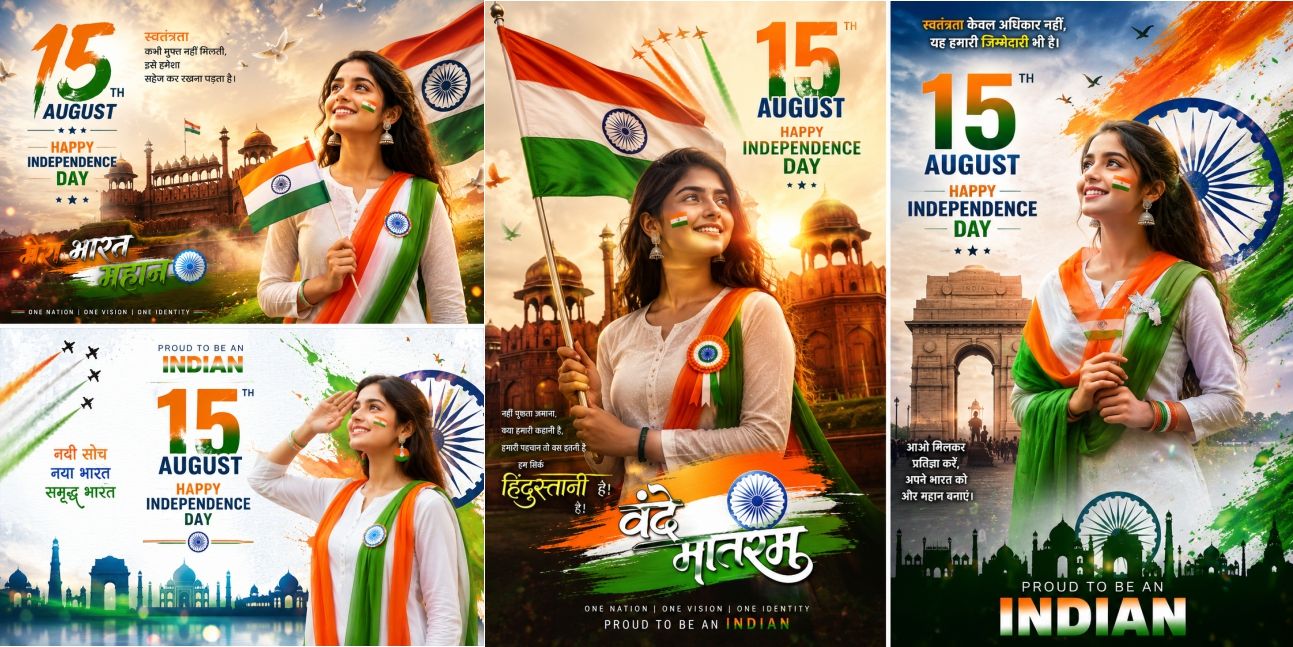
Create stunning 15 August Independence Day AI posters with this premium prompt pack. Just upload your photo and generate ultra realistic patriotic images in seconds. Compatible with ChatGPT Image, GPT Image, Gemini, Flux, Midjourney, Ideogram and other AI image generators.
Product Highlights
- Ultra Realistic AI Prompt
- Main Prompt Included
- Negative Prompt Included
- Photo Reference Ready
- ChatGPT Compatible
- GPT Image Compatible
- Gemini Compatible
- Flux Compatible
- Midjourney Compatible
- Ideogram Compatible
- Viral Social Media Style
- Instant Download
✨ AI Image Prompt
MAIN PROMPT
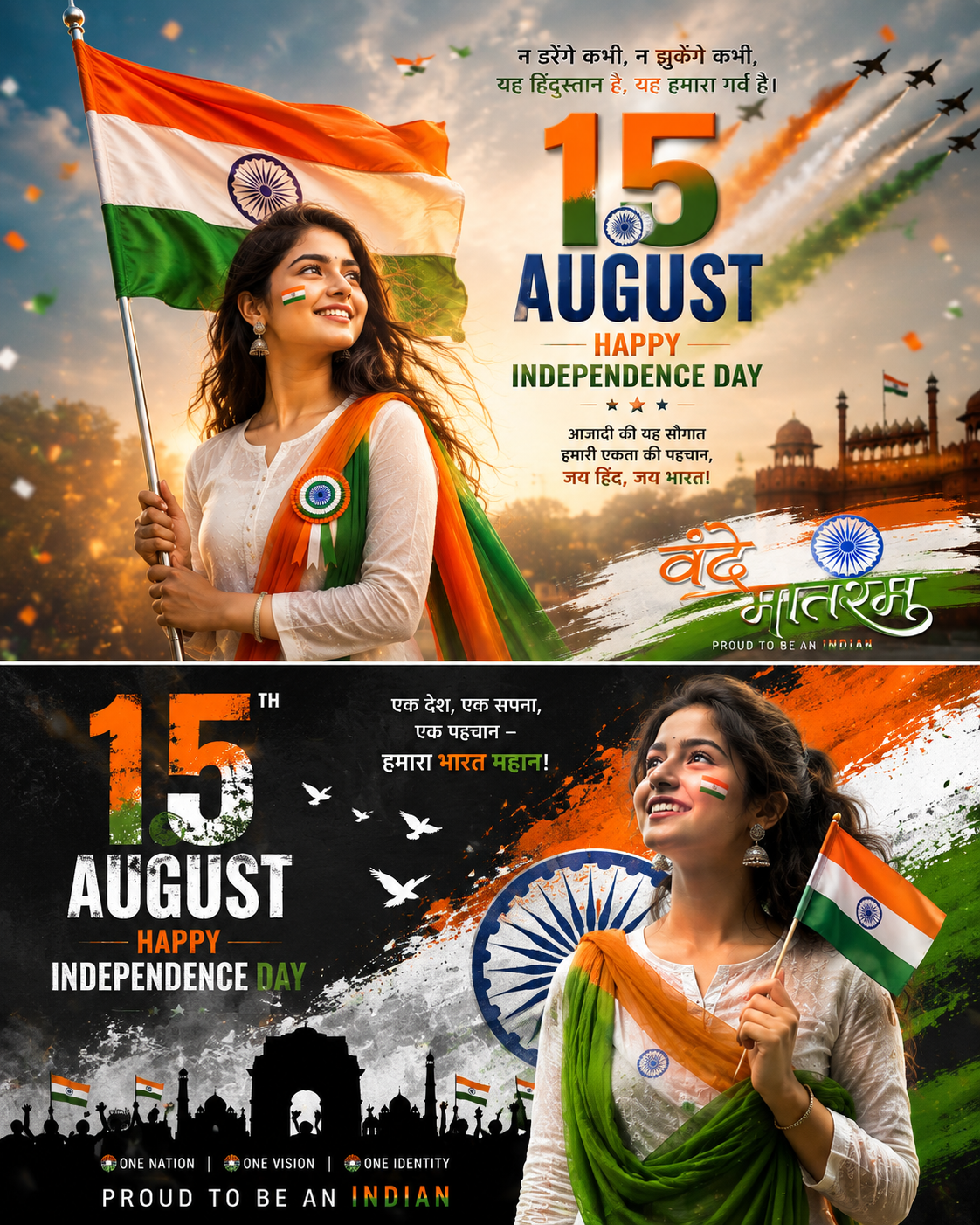
Use the uploaded person’s face exactly as the reference. Keep the original face identity, facial features, hairstyle, skin tone, expression, and age unchanged. Create an ultra-realistic, cinematic 16K Indian Independence Day poster featuring the uploaded person as a proud young Indian standing confidently in the foreground. The person is wearing elegant white traditional ethnic clothing with a flowing tricolor (saffron, white, green) dupatta/stole, patriotic badge on the chest, subtle Indian flag face paint on the cheek, and holding a beautiful Indian National Flag.
Create a premium trending 2026 social media poster with dramatic golden sunrise lighting, volumetric light rays, realistic depth of field, soft cinematic bokeh, flying birds, colorful confetti, tricolor smoke, flower petals, glowing particles, and realistic atmosphere.
Background should include the Red Fort, India Gate, Ashoka Chakra, Indian Air Force fighter jets creating saffron, white and green smoke trails across the sky, waving Indian flags, fireworks, patriotic silhouettes, and modern luxury graphic design elements. Add premium paint splash effects, glossy 3D typography, dynamic composition, vibrant saffron-white-green color grading, and highly detailed textures.
Large bold text:
“15TH AUGUST”
“HAPPY INDEPENDENCE DAY”
“PROUD TO BE AN INDIAN”
“VANDE MATARAM”
Overall look should be premium, viral, Instagram trending, Facebook cover quality, cinematic, luxury poster, ultra sharp, HDR, photorealistic, masterpiece, award-winning composition, magazine cover style, extremely detailed, high contrast, professional color grading, print-ready quality.
NEGATIVE PROMPT
low quality, blurry, pixelated, cartoon, anime, illustration, painting, sketch, CGI, fake face, different face, face swap, altered identity, duplicate person, extra people, cropped face, deformed body, bad anatomy, wrong hands, extra fingers, missing fingers, crossed eyes, lazy eye, bad smile, distorted face, bad teeth, long neck, low resolution, noise, grain, watermark, logo, signature, text errors, spelling mistakes, overexposed, underexposed, dull colors, flat lighting, oversaturated, artifacts, jpeg compression, blurry flag, broken Ashoka Chakra, unrealistic background, poorly drawn monuments, duplicate flags, cut off body, out of frame, bad composition, unrealistic clothing, plastic skin, oversmoothed skin, mutated hands, extra arms, extra legs
आप इस AI Prompt का उपयोग करके ChatGPT (GPT Image), Gemini, Flux, Ideogram या Midjourney में आसानी से ऐसी फोटो बना सकते हैं। नीचे वेबसाइट पर डालने के लिए स्टेप-बाय-स्टेप गाइड दी गई है।
AI Prompt उपयोग करने का तरीका (Step by Step)
Step 1: AI Tool खोलें
सबसे पहले किसी AI Image Generator को खोलें, जैसे:
-
AI Image Generator Links
🤖 ChatGPT (GPT Image)
👉 Open ChatGPT💎 Google Gemini
👉 Open Google Gemini
Step 2: अपनी फोटो अपलोड करें
जिस व्यक्ति की फोटो बनानी है, उसकी साफ (HD) फ्रंट फेस फोटो अपलोड करें।
बेहतर परिणाम के लिए:
- चेहरा साफ दिखाई दे।
- अच्छी रोशनी हो।
- फोटो ब्लर न हो।
- पूरा चेहरा दिखाई दे।
Step 3: Main Prompt कॉपी करें
इस प्रोडक्ट में दिया गया Main Prompt पूरा कॉपी करें।
Step 4: Prompt पेस्ट करें
AI Image Generator में फोटो अपलोड करने के बाद Main Prompt पेस्ट करें।
Step 5: Negative Prompt जोड़ें
अब उसी के नीचे दिया गया Negative Prompt भी पेस्ट करें ताकि फोटो अधिक प्रोफेशनल और साफ बने।
Step 6: Image Settings चुनें
यदि विकल्प उपलब्ध हों तो ये सेटिंग्स चुनें:
- Quality: Ultra / High
- Style: Photorealistic
- Aspect Ratio: 4:5 या 9:16
- Resolution: Highest Available
- HDR: ON (यदि उपलब्ध हो)
Step 7: Generate पर क्लिक करें
अब Generate बटन दबाएँ।
AI लगभग 20–60 सेकंड में आपकी फोटो तैयार कर देगा (समय प्लेटफ़ॉर्म पर निर्भर करता है)।
Step 8: जरूरत हो तो दोबारा Generate करें
अगर पहली फोटो आपकी पसंद की न बने, तो उसी Prompt के साथ दोबारा Generate करें। AI हर बार थोड़ा अलग और नया परिणाम देता है।
बेहतर रिज़ल्ट के लिए टिप्स
✅ HD फोटो का उपयोग करें।
✅ चेहरे पर कोई ऑब्जेक्ट (चश्मा, हाथ आदि) न हो।
✅ फ्रंट फेस फोटो सबसे अच्छा परिणाम देती है।
✅ Prompt में बदलाव न करें।
✅ Main Prompt और Negative Prompt दोनों का साथ में उपयोग करें।
इस Prompt से क्या बनेगा?
- 🇮🇳 Ultra Realistic Independence Day Poster
- 📸 Viral Instagram Photo
- 🎨 Cinematic AI Portrait
- 🏛️ Red Fort & India Gate Background
- ✈️ Tricolor Fighter Jet Smoke
- 🎆 Fireworks & Light Effects
- 🧡🤍💚 Premium 15 August Theme
- 📱 Facebook, Instagram, WhatsApp Status Ready
- 🖨️ High Resolution Print Quality Poster
इस AI Prompt से आप भी ऐसी शानदार फोटो बना सकते हैं!
इस प्रीमियम AI Prompt की मदद से आप अपनी किसी भी फोटो को 15 अगस्त (स्वतंत्रता दिवस) की शानदार, प्रोफेशनल और ट्रेंडिंग AI पोस्टर में बदल सकते हैं।
बस अपनी फोटो अपलोड करें, इस प्रोडक्ट में दिया गया Main Prompt और Negative Prompt कॉपी करके ChatGPT या Google Gemini में पेस्ट करें और कुछ ही सेकंड में एक शानदार AI फोटो तैयार करें।
