- Your cart is empty
- Continue Shopping
5 Trending AI Photo Editing Prompts 2026 – Create Viral AI Photos
- ai prompt, Blog
- Posted on
-
by GraphicsMart
- 0 comments
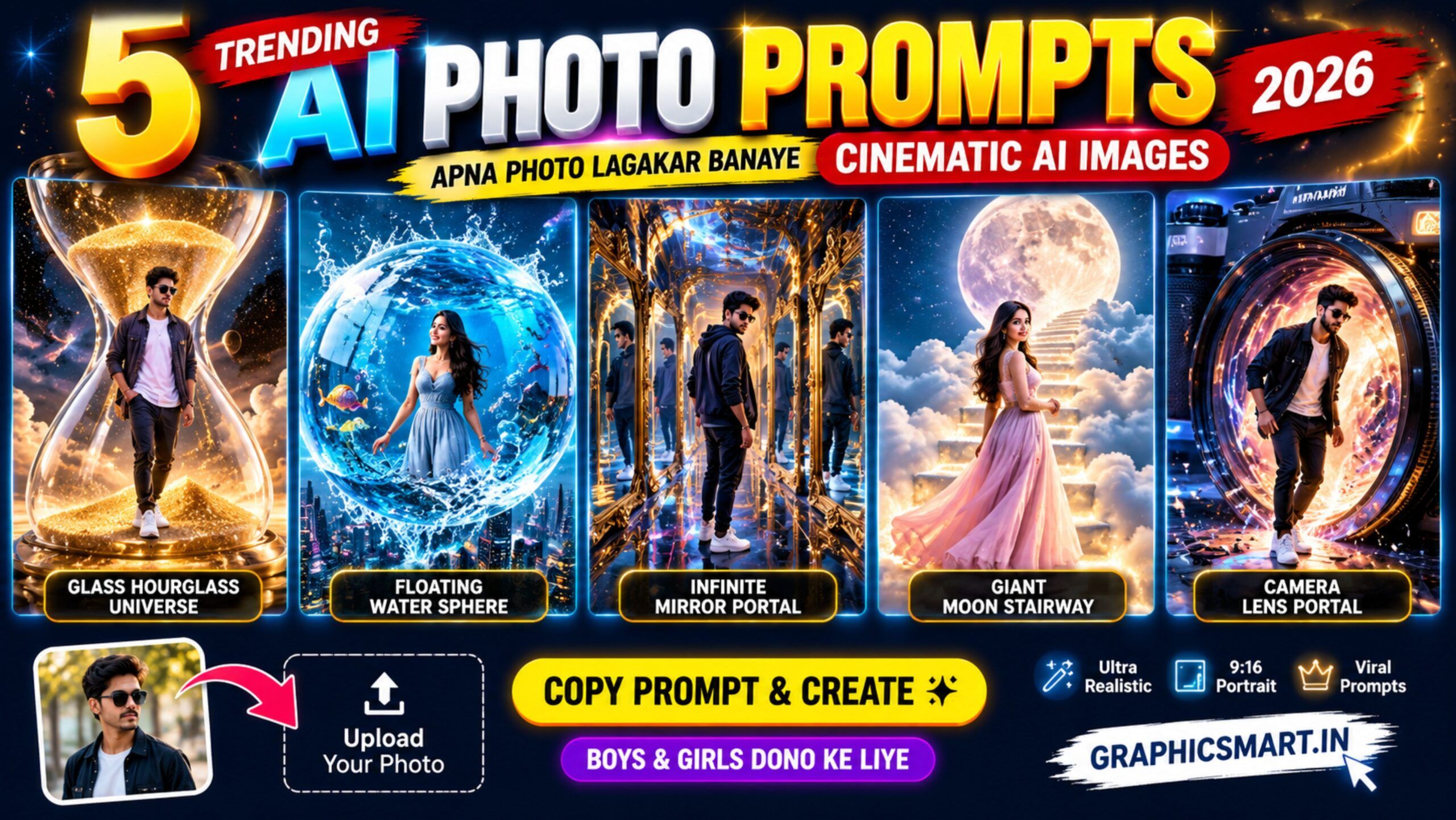
5 Trending AI Photo Prompts 2026 – Apna Photo Lagakar Banaye Cinematic AI Images
Description
Create stunning cinematic AI photos using your own image! Is collection me 5 unique trending AI photo prompts diye gaye hain jo boys aur girls dono use kar sakte hain. Apna clear photo upload karein, prompt copy karein aur AI tool me use karke realistic 9:16 cinematic images create karein. Prompts me face identity preserve karne aur unwanted extra people, distorted hands, duplicate faces, text aur watermark ko avoid karne ki instructions bhi included hain.
5 Prompt Headings
- Giant Glass Hourglass AI Photo Prompt
- Floating Water Sphere AI Photo Prompt
- Infinite Mirror Portal AI Photo Prompt
- Giant Moon Stairway AI Photo Prompt
- Giant Camera Lens Portal AI Photo Prompt
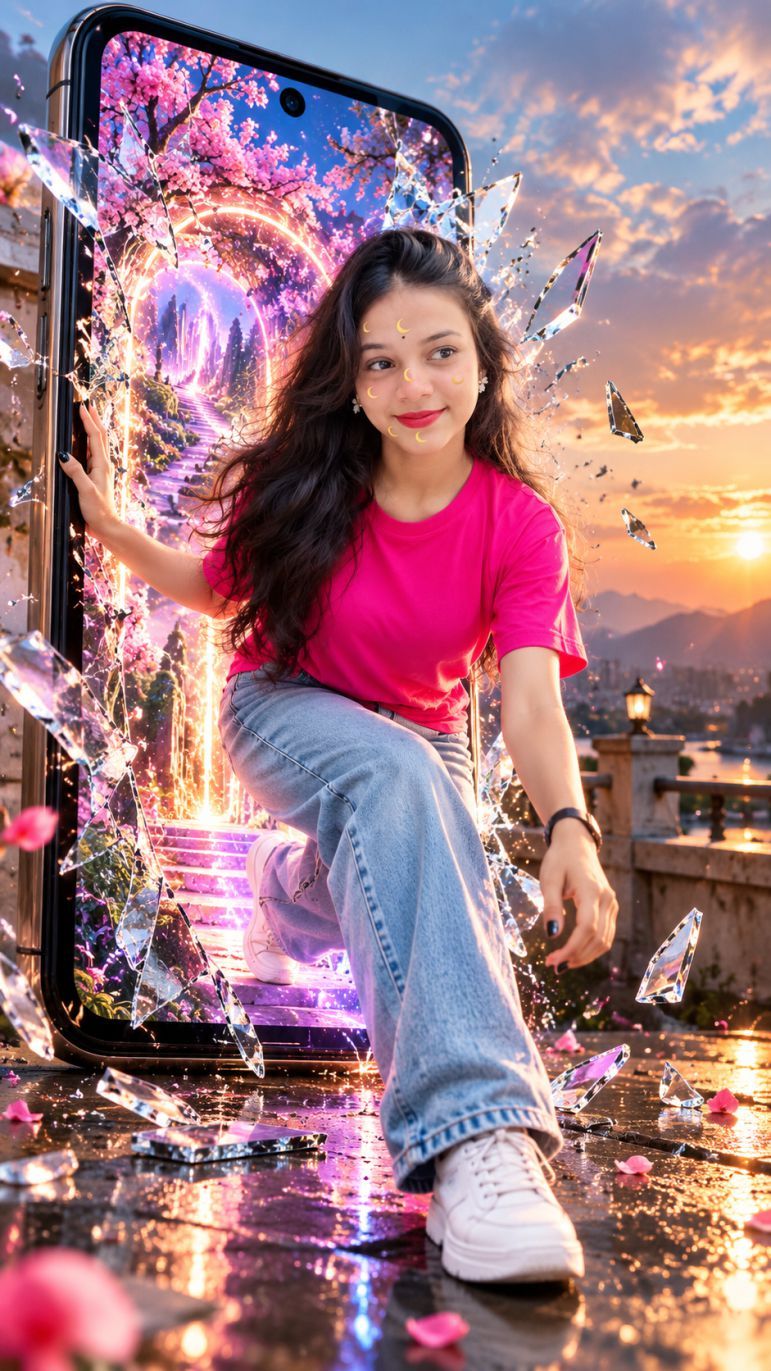
✨ AI Image Prompt
Create an ultra-realistic cinematic 9:16 portrait using the uploaded photo as the exact face reference. Preserve face, identity, skin tone, hairstyle, age and facial hair exactly. Show the person stepping out of a gigantic vertical smartphone through a shattered glass screen, one foot inside and one outside. Inside the phone is a magical glowing world with pink cherry blossoms, fantasy pathway and blue-pink portal light. Add flying glass pieces, flower petals, sunset background, wet reflective ground, dramatic low-angle lighting, natural skin texture, realistic body and hands, DSLR photography, photorealistic 8K quality. Only one person. No changed face, extra people, extra limbs/fingers, cartoon, blur, text, logo or watermark.
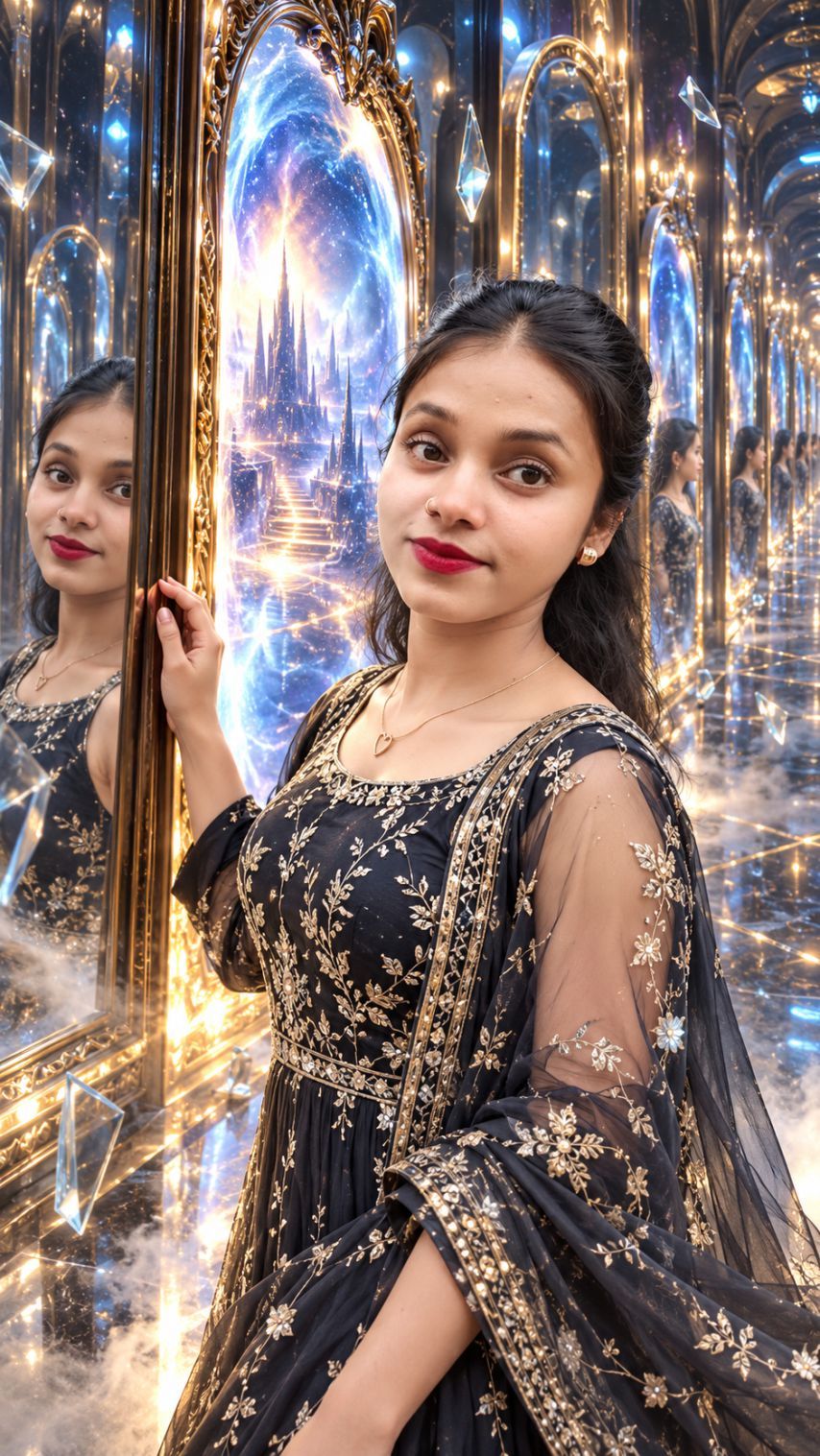
✨ AI Image Prompt
Use the uploaded photo as exact face reference. Create an ultra-realistic 9:16 portrait inside a luxurious infinite mirror hall with golden frames, glowing magical blue portals, crystal fragments, reflections and cinematic fog. Dress the person in a premium elegant outfit. Keep face, age, skin tone, hairstyle and identity exactly unchanged. Realistic reflections, cinematic golden-blue lighting, sharp 8K detail. No extra people, distorted face, extra limbs, text, logo or watermark.
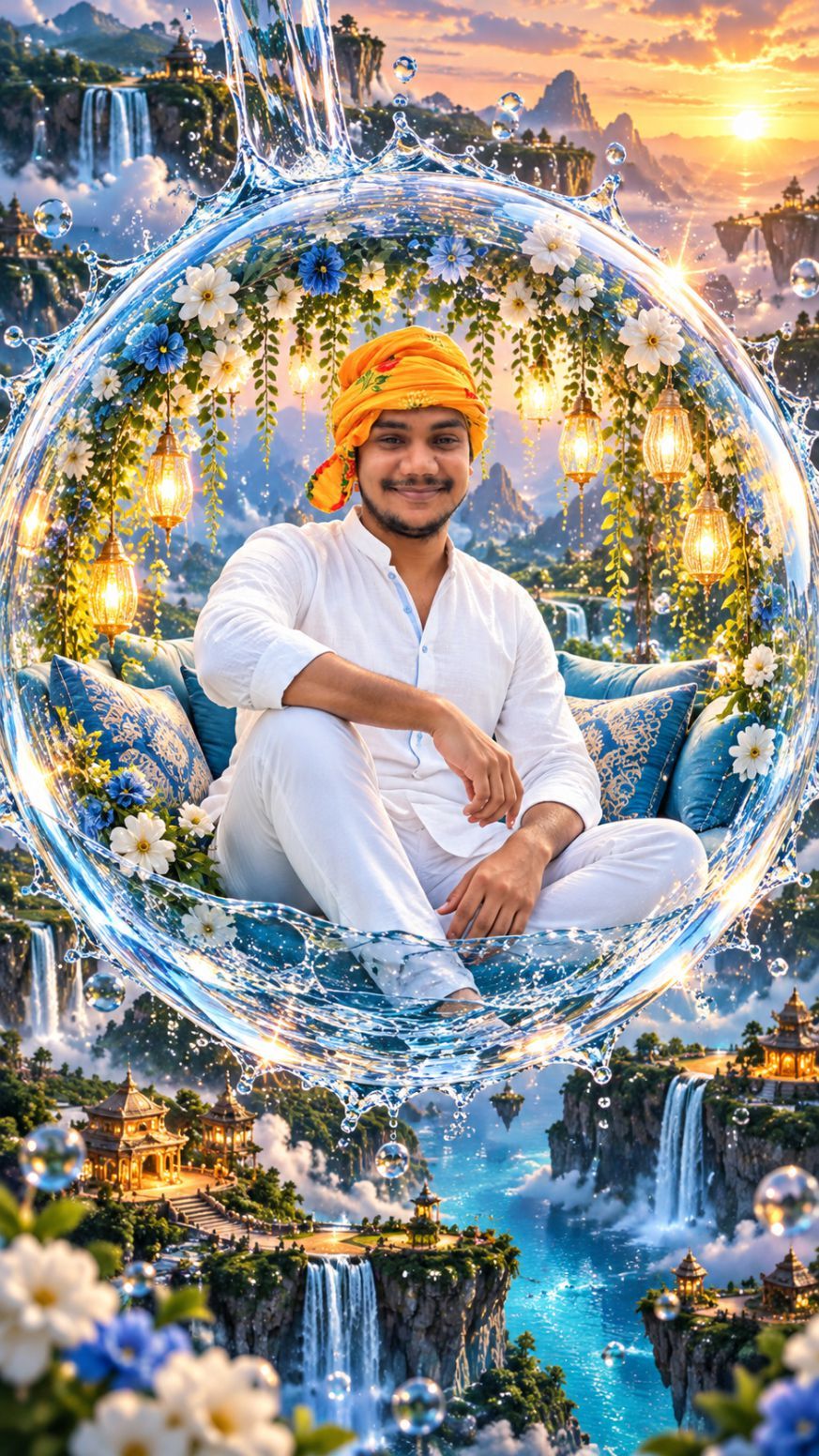
✨ AI Image Prompt
Create an ultra-realistic 9:16 portrait using the uploaded photo as the exact face reference. Keep face, identity, age, skin tone and hairstyle unchanged. Show the person sitting inside a giant transparent water bubble decorated with flowers and glowing lanterns, floating above a magical waterfall city with mountains, blue rivers and golden sunset. Stylish outfit, cinematic lighting, realistic water splashes, photorealistic 8K. No extra people, distorted face, extra limbs, text or watermark.
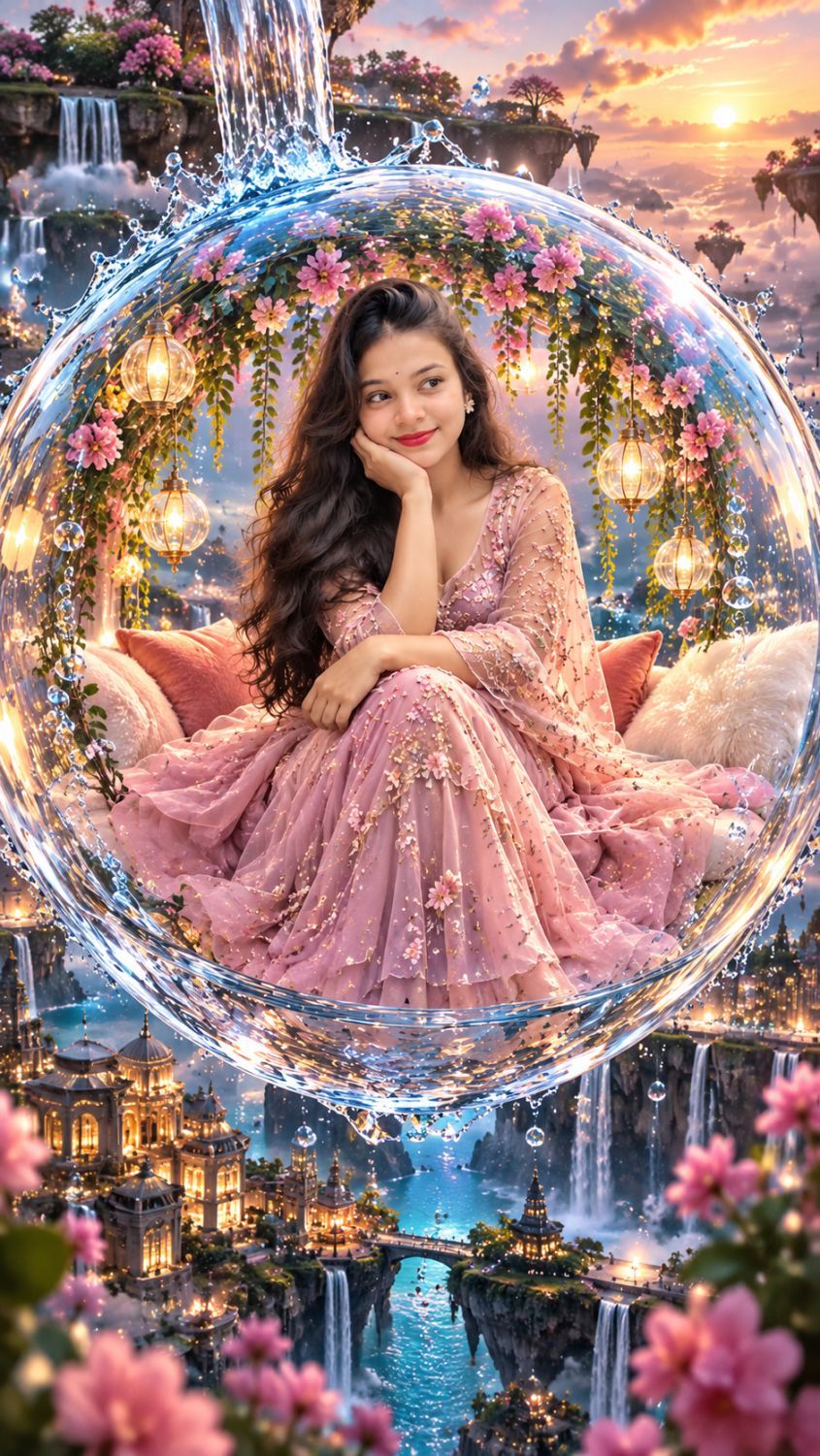
✨ AI Image Prompt
Create an ultra-realistic 9:16 portrait using the uploaded photo as the exact face reference. Keep the face and identity unchanged. Show the person sitting inside a giant transparent water bubble with flowers and glowing lanterns, floating above a magical waterfall city at golden sunset. Cinematic lighting, realistic water splashes, premium outfit, photorealistic 8K. No extra people, text or watermark.
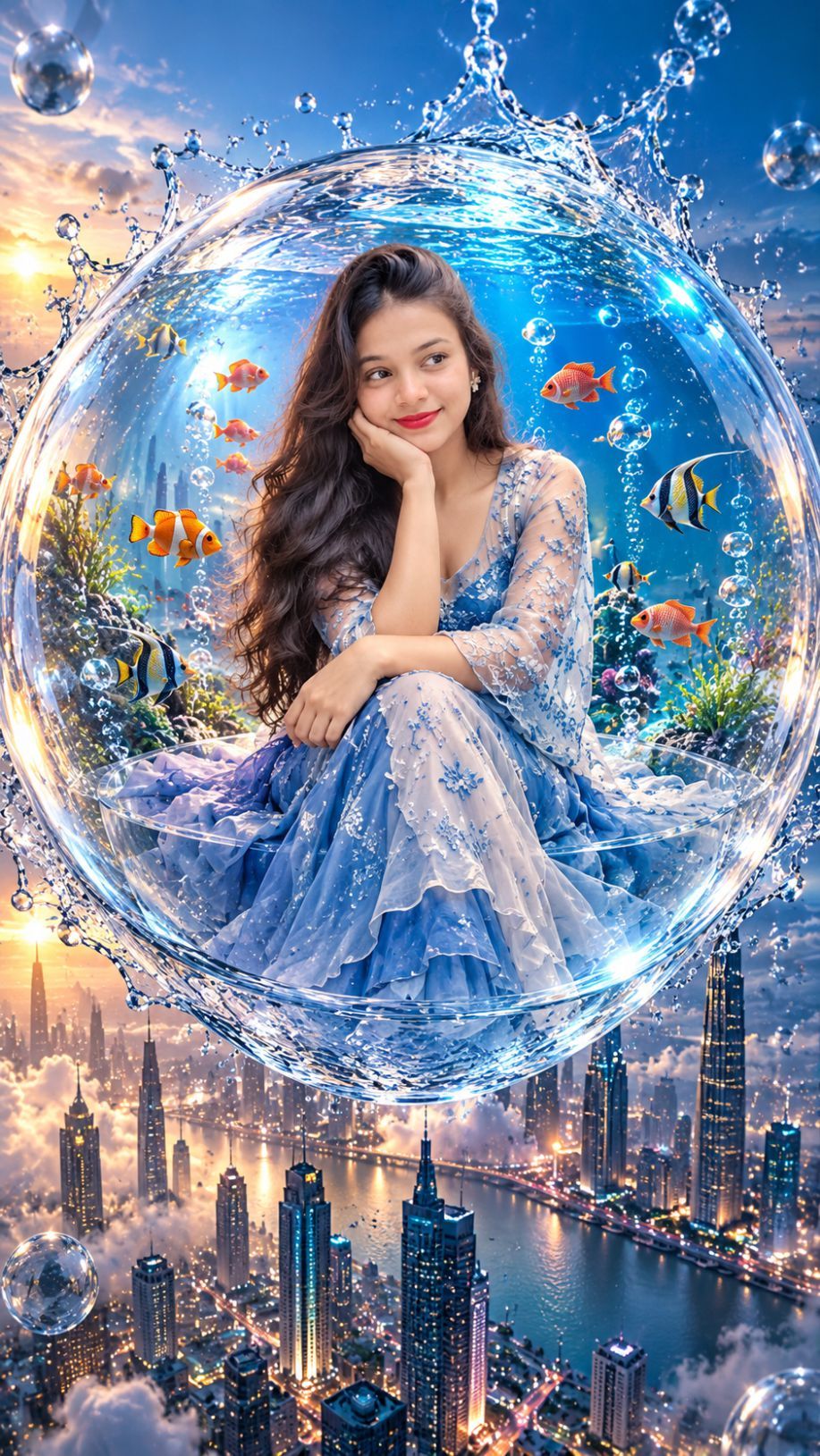
✨ AI Image Prompt
Use the uploaded photo as the exact face reference. Keep face and identity unchanged. Show the person sitting inside a giant transparent water bubble decorated with flowers and glowing lanterns, floating above a magical waterfall city. Golden sunset, cinematic lighting, realistic water splashes, premium outfit, ultra-realistic 8K, 9:16. No extra people, text or watermark.
AI Prompt से अपना फोटो कैसे बनाएं? – आसान तरीका
इन AI Prompts की मदद से आप अपनी साधारण फोटो को शानदार सिनेमैटिक AI फोटो में बदल सकते हैं। इसके लिए आपको फोटो एडिटिंग की जानकारी होना जरूरी नहीं है। बस नीचे दिए गए आसान स्टेप्स को फॉलो करें।
Step 1: अपनी साफ फोटो चुनें
सबसे पहले अपनी एक साफ और अच्छी क्वालिटी की फोटो चुनें। फोटो में आपका चेहरा साफ दिखाई देना चाहिए।
ध्यान रखें कि फोटो धुंधली न हो, चेहरे पर पर्याप्त रोशनी हो और चेहरा ज्यादा ढका हुआ न हो। बेहतर परिणाम के लिए सामने से ली गई फोटो का इस्तेमाल करें।
Step 2: AI Image बनाने वाला Tool खोलें
अब ऐसा AI Tool खोलें जिसमें फोटो अपलोड करके AI Image बनाने की सुविधा उपलब्ध हो।
उसमें नया Chat या Image Create करने वाला विकल्प खोलें।
Step 3: अपनी फोटो Upload करें
अब Upload Photo / Add Image वाले विकल्प पर क्लिक करके अपनी चुनी हुई फोटो अपलोड करें।
कोशिश करें कि एक फोटो में केवल एक ही व्यक्ति साफ दिखाई दे।
Step 4: GraphicsMart से Prompt Copy करें
इस पेज पर दिए गए 5 AI Photo Prompts में से आपको जो डिजाइन पसंद आए, उसका पूरा Prompt Copy करें।
Prompt के आखिर में दिए गए निर्देशों को भी जरूर Copy करें। ये निर्देश AI को चेहरा सही रखने और Extra Person, गलत हाथ-पैर या Duplicate Face जैसी समस्याओं को कम करने में मदद करते हैं।
Step 5: Prompt Paste करें
फोटो Upload करने के बाद AI Tool के Message Box में Copy किया हुआ पूरा Prompt Paste करें।
अब एक बार जांच लें कि आपकी फोटो और Prompt दोनों सही तरीके से जुड़ गए हैं।
इसके बाद Send या Generate पर क्लिक करें।
Step 6: AI को फोटो बनाने दें
अब AI आपकी Upload की गई फोटो और Prompt के आधार पर नई सिनेमैटिक फोटो तैयार करेगा।
अलग-अलग AI Tools में परिणाम थोड़ा अलग हो सकता है। इसलिए हमारी वेबसाइट पर दिखाई गई Sample Image और आपकी बनाई गई Image बिल्कुल एक जैसी होना जरूरी नहीं है।
Step 7: चेहरा सही न बने तो क्या करें?
अगर AI आपके चेहरे को ज्यादा बदल देता है, तो एक साफ और सामने से ली गई फोटो दोबारा Upload करके कोशिश करें।
साथ में यह लाइन भी Prompt में जोड़ सकते हैं:
“अपलोड की गई फोटो के चेहरे और पहचान को बिल्कुल समान रखें।”
पहला Result सही न आने पर 2–3 बार अलग-अलग Result बनाकर भी देख सकते हैं।
अच्छे Result के लिए जरूरी बातें
हमेशा साफ और अच्छी क्वालिटी की फोटो इस्तेमाल करें। पूरा Prompt Copy करें और किसी जरूरी लाइन को हटाएं नहीं। बहुत ज्यादा Edit की हुई या धुंधली फोटो इस्तेमाल करने से बचें। एक फोटो में एक ही व्यक्ति होने पर बेहतर Result मिलने की संभावना रहती है।
क्या लड़के और लड़कियां दोनों ये Prompts इस्तेमाल कर सकते हैं?
हां। इन Prompts को लड़के और लड़कियां दोनों अपनी फोटो के साथ इस्तेमाल कर सकते हैं। AI आपकी Upload की गई फोटो के अनुसार व्यक्ति का Look और Scene तैयार कर सकता है।
जरूरी सूचना
AI से बनाई गई फोटो का परिणाम आपकी Original Photo, इस्तेमाल किए गए AI Tool और उसके Model पर निर्भर करता है। कभी-कभी चेहरा, हाथ, कपड़े या Background में थोड़ा अंतर आ सकता है।
