- Your cart is empty
- Continue Shopping
Cute Chibi Collage Portrait Prompt | Realistic & Pixar Style AI Photo Generator
- ai prompt, Blog
- Posted on
-
by GraphicsMart
- 0 comments
Cute Chibi Collage Portrait Prompt | Realistic & Pixar Style AI Photo Generator
Prompt Description
✨ AI Image Prompt
Create a highly detailed digital collage using the uploaded photo as the ONLY face reference.
IMPORTANT FACE LOCK:
Preserve the person’s original facial identity exactly as uploaded. Maintain 100% identical face shape, forehead, eyebrows, eyes, eyelashes, nose, lips, smile, ears, jawline, skin tone, facial proportions, age, hairstyle (adapt naturally if required), and overall identity. Do not beautify, alter, replace, or generate a different face.different face, face swap, identity change, wrong facial features, deformed face, duplicate face, bad anatomy, low quality, blurry, soft focus, pixelated, noisy image, cartoon face in main portrait, old face, child face, masculine features, unrealistic skin, wax skin, over smooth skin, distorted eyes, crossed eyes, lazy eye, extra eyes, extra nose, extra lips, missing ears, bad mouth, open mouth unless natural, extra fingers, missing fingers, fused fingers, extra arms, extra legs, cropped hands, broken hands, bad pose, twisted body, incorrect saree, wrong jewelry, oversized accessories, watermark, logo, signature, text errors, spelling mistakes, frame, border, compression artifacts, low resolution, oversaturated colors, underexposed, overexposed, flat lighting, harsh shadows, duplicate characters, overlapping characters, messy composition, cluttered background, stretched body, unrealistic proportions, floating objects, disconnected limbs, poor clothing folds, incorrect bindi, low detail, JPEG artifacts
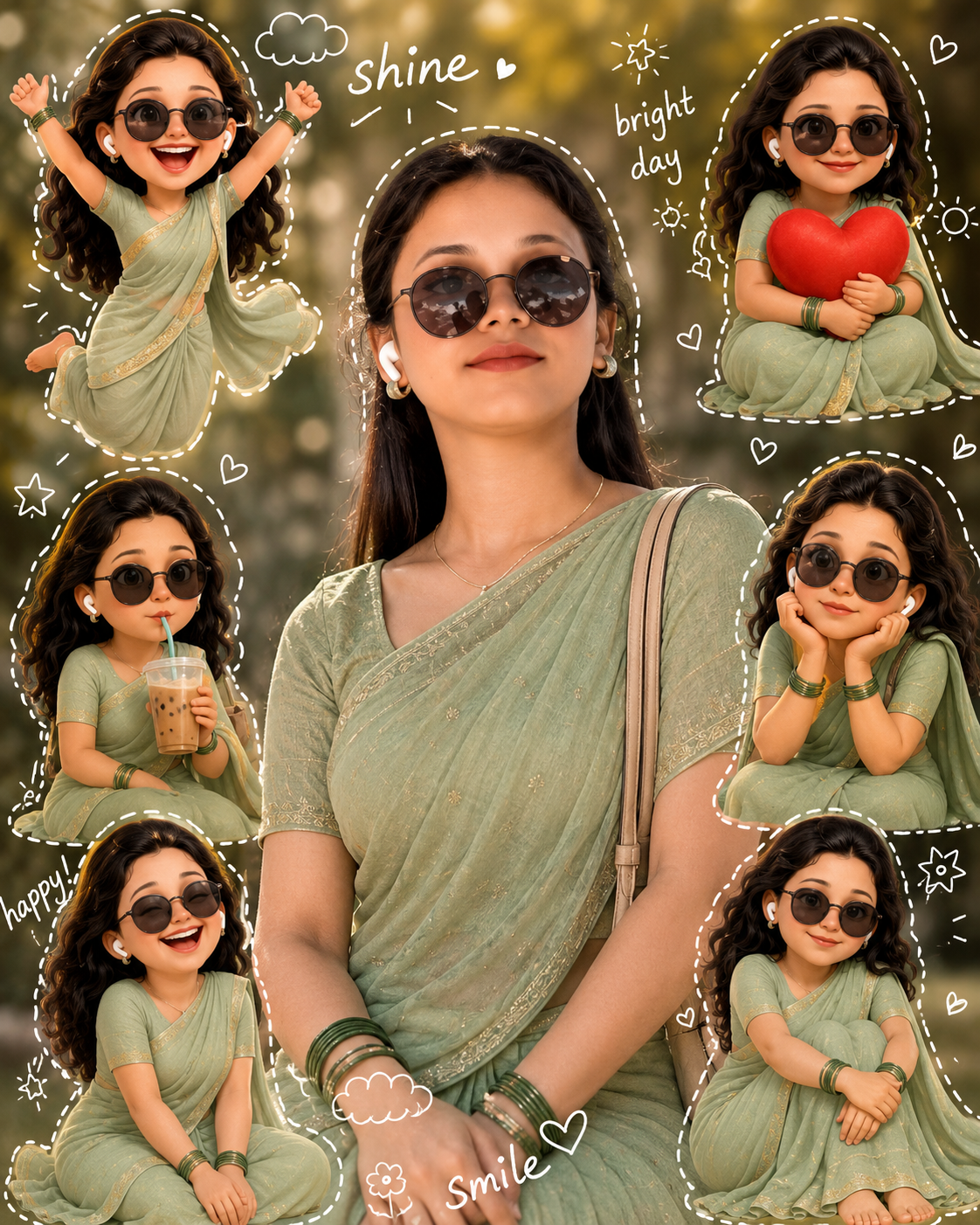
Create a realistic studio-quality portrait of the person in the center wearing a soft pastel green saree with a thin intricate gold border, matching blouse, elegant green glass bangles, small gold earrings, natural makeup, glowing healthy skin, and a small black bindi.
Give the subject voluminous shoulder-length naturally curly black hair while preserving facial identity. The person has a warm, confident smile with the head slightly tilted.
Place the central portrait in sharp focus with cinematic natural lighting, ultra-realistic skin texture, DSLR quality, shallow depth of field, soft outdoor background with creamy bokeh, warm golden tones, premium portrait photography, highly detailed fabric folds, realistic jewelry, soft shadows, and professional color grading.
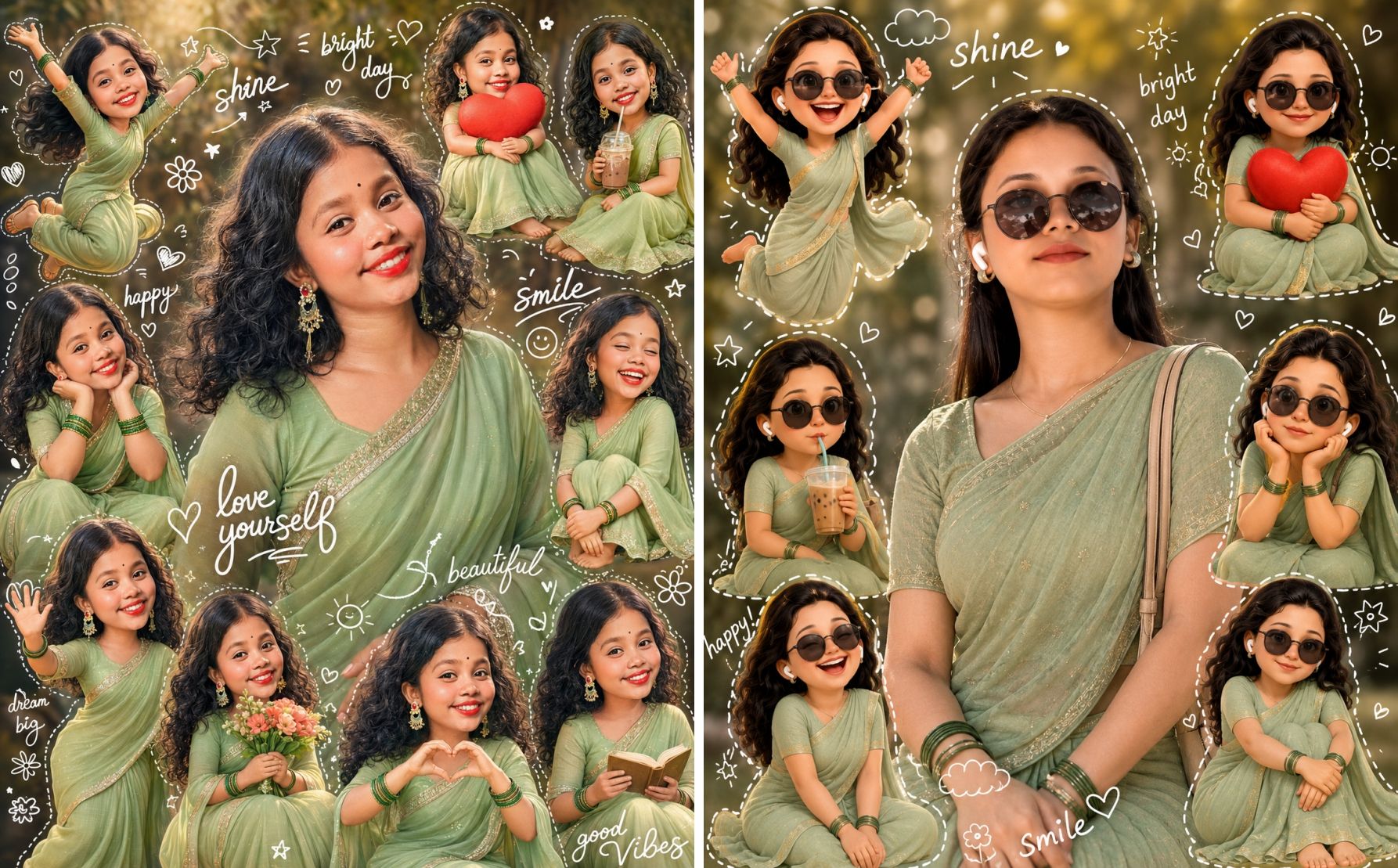
Surround the central portrait with multiple adorable Pixar/Disney-inspired 3D chibi versions of the same person.
Each mini character must preserve the exact same facial identity while appearing as a cute stylized version.
Create different poses including:
• Jumping happily with both hands raised
• Sitting while hugging a large red heart
• Drinking iced coffee with a straw
• Sitting with chin resting on both hands
• Laughing with eyes closed
• Sitting while hugging knees
• Waving happily
• Holding a bouquet of flowers
• Making a heart with both hands
• Reading a small book
All mini characters wear matching pastel green saree with thin gold border, green bangles, earrings, curly black hair, and expressive oversized eyes.
Decorate the entire collage with white hand-drawn doodles including dashed outlines, stars, hearts, sparkles, clouds, flowers, smiley faces, arrows, tiny suns, butterflies, ribbons, and playful sketches.
Include handwritten typography such as:
“shine”
“bright day”
“happy”
“smile”
“love yourself”
“beautiful”
“dream big”
“good vibes”
Use a balanced scrapbook collage composition with equal spacing, clean layout, premium aesthetic, warm color palette, ultra-high detail, realistic textures, vibrant colors, cinematic lighting, luxury portrait editing, Pixar-quality 3D rendering, magazine-quality composition, social media premium style.
Ultra realistic, 8K, HDR, masterpiece, highly detailed, crisp focus, professional portrait photography.
Aspect Ratio: 4:5
AI पर इमेज बनाने का पूरा तरीका
✅ Step 1 : AI वेबसाइट खोलें
नीचे दिए गए किसी भी AI पर क्लिक करें।
🟢 🤖 ChatGPT
🔵 ✨ Google Gemini
✅ Step 2 : अपनी फोटो Upload करें
AI वेबसाइट खुलने के बाद
📷 Upload Image पर क्लिक करें।
अब अपनी एक साफ़ और HD फोटो चुनें।
बेहतर रिज़ल्ट के लिए
✔ चेहरा साफ़ दिखाई दे।
✔ HD फोटो हो।
✔ Blur फोटो न हो।
✔ पूरा चेहरा दिखना चाहिए।
✔ एक ही व्यक्ति की फोटो अपलोड करें।
✅ Step 3 : Main Prompt कॉपी करें
अब हमारी वेबसाइट से पूरा Main Prompt कॉपी करें।
AI में जहाँ Prompt लिखने का बॉक्स हो वहाँ Paste कर दें।
⚠️ Prompt का कोई भी हिस्सा हटाएँ नहीं।
✅ Step 4 : Negative Prompt जोड़ें
यदि AI में Negative Prompt का विकल्प हो तो वहाँ पूरा Negative Prompt Paste करें।
अगर अलग विकल्प न मिले तो Main Prompt के सबसे नीचे लिख दें—
Negative Prompt :
फिर पूरा Negative Prompt Paste कर दें।
✅ Step 5 : Aspect Ratio चुनें
Aspect Ratio रखें
4 : 5
✅ Step 6 : Image Generate करें
अब Generate बटन दबाएँ।
लगभग 20–60 सेकंड में AI आपकी फोटो तैयार कर देगा।
✅ Step 7 : यदि चेहरा बदल जाए
तो Prompt के सबसे ऊपर यह Face Lock जोड़ दें—
IMPORTANT FACE LOCK
Use ONLY the uploaded photo as the face reference.
Keep exactly the same face.
Do not change identity.
No face replacement.
✅ Step 8 : अगर Cartoon सही नहीं बने
तो Prompt में यह लाइन जोड़ दें—
Create Pixar/Disney inspired 3D chibi characters while keeping exactly the same facial identity.
✅ Step 9 : अगर Doodles नहीं आएँ
Prompt में यह जोड़ दें—
Add white hand drawn doodles including hearts, stars, clouds, sparkles, flowers and dashed outlines.
✅ Step 10 : अगर Quality कम आए
Prompt के अंत में यह जोड़ दें—
Ultra Realistic
8K
HDR
Masterpiece
Professional Photography
Sharp Focus
Highly Detailed
DSLR Quality
Premium Color Grading
✅ Step 11 : Image Download करें
Image बनने के बाद
📥 Download पर क्लिक करें।
Original या HD Quality में सेव करें।
Best Result Tips
✅ HD फोटो इस्तेमाल करें।
✅ Prompt पूरा Paste करें।
✅ Negative Prompt हटाएँ नहीं।
✅ Face Lock सबसे ऊपर रखें।
✅ 4:5 Ratio रखें।
✅ यदि पहली बार रिज़ल्ट पसंद न आए तो उसी Prompt से 2–3 बार Generate करें। AI हर बार थोड़ा अलग और कई बार बेहतर परिणाम देता है।
