- Your cart is empty
- Continue Shopping
Premium Cinematic Double Exposure Portrait AI Prompt | Face Lock | 12K Hyper Realistic
- ai prompt, Blog
- Posted on
-
by GraphicsMart
- 0 comments
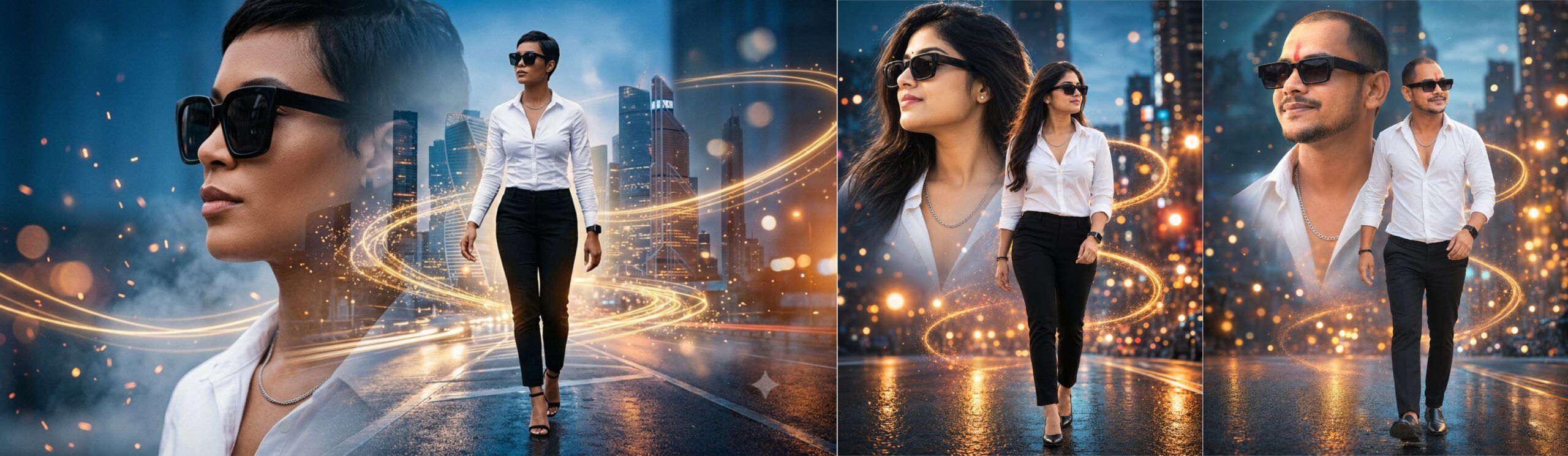
प्रीमियम सिनेमैटिक डबल एक्सपोज़र AI फोटो प्रॉम्प्ट | फेस लॉक | 12K HD
Product Description
Transform your ordinary photo into a breathtaking premium cinematic double exposure portrait with this professionally crafted AI prompt. Designed for creators, designers, photographers, and AI art enthusiasts, this prompt generates a luxury fashion editorial-style portrait while preserving the uploaded person’s original face and identity.
The prompt features an ultra-realistic double exposure composition with a detailed close-up portrait on one side and a confident full-body walking pose on the other. The background includes dreamy blue-hour city streets, glowing golden bokeh, cinematic light trails, floating particles, teal and orange color grading, HDR lighting, and DSLR-quality realism.
An advanced Face Lock instruction is included to help preserve the person’s facial identity, hairstyle, skin tone, expression, and overall appearance while only changing clothing, accessories, pose, and environment. The prompt also includes a built-in Negative Prompt to minimize common AI issues such as face swapping, blurry results, extra limbs, distorted anatomy, watermarks, text, and low-quality rendering.
Perfect for creating premium social media profile pictures, posters, portfolio images, YouTube thumbnails, Instagram content, and professional AI portraits.
Features
- Premium Cinematic Double Exposure Style
- Exact Face Lock Instructions Included
- Built-in Negative Prompt
- Hyper Realistic Fashion Editorial Look
- DSLR Photography Style
- Ultra HD 12K Quality
- Blue Hour City Background
- Golden Bokeh & Light Trails
- Easy Copy & Paste Prompt
- Works with Photo Upload
Short Description
Create stunning premium cinematic double exposure portraits using AI. Simply upload your photo and generate a hyper-realistic fashion editorial portrait with an exact face lock, stylish outfit, glowing city lights, golden bokeh, and cinematic effects in ultra HD quality.
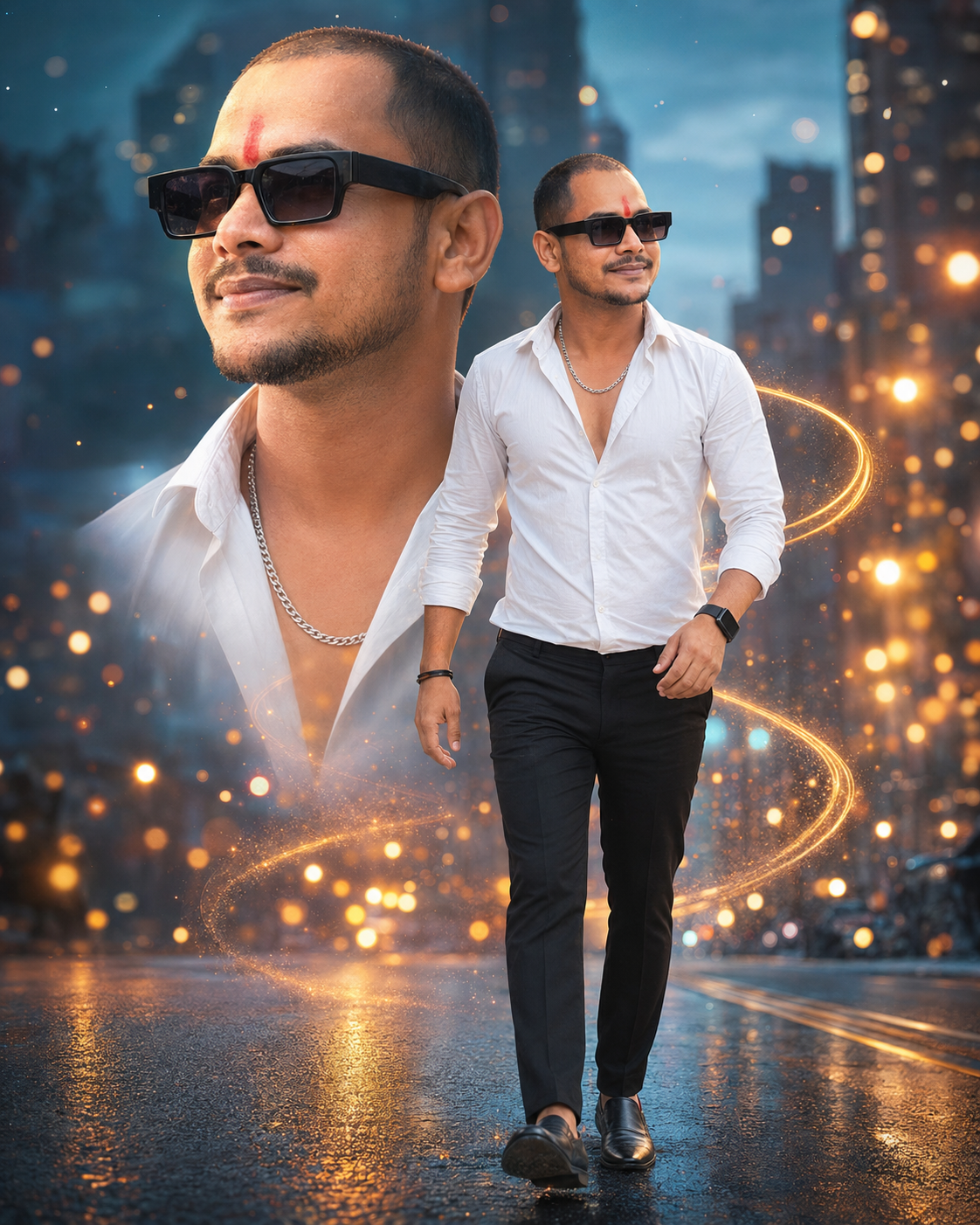
1. Premium Cinematic Double Exposure Man Prompt (Face Lock)
✨ AI Image Prompt
Create a premium cinematic double exposure portrait using the uploaded photo as the ONLY face reference.
IMPORTANT FACE LOCK:
Preserve the person’s original face exactly as uploaded. Maintain 100% identical facial identity, hairstyle, forehead, eyebrows, eyes, nose, lips, jawline, ears, beard, mustache, smile, skin tone, facial proportions, age, expression, and overall identity. Do NOT beautify, replace, modify, or generate a different face.
Create a stylish young Indian man with fashionable hair wearing premium black square sunglasses, a fitted white button-down shirt with the top three buttons open revealing a silver chain necklace, slim-fit black trousers, premium black formal shoes, a black smartwatch, and a black bracelet.
Create a premium double exposure composition.
LEFT SIDE:
An ultra-detailed close-up portrait wearing black sunglasses, looking far left with a charming confident expression.
FOREGROUND:
The same man walking confidently toward the camera in full body with one hand swinging naturally, the other relaxed, head slightly turned to the side, luxury fashion model pose.
BACKGROUND:
Dreamy blue-hour metropolitan road, luxury city skyline, glowing warm golden bokeh lights, floating cinematic particles, light sparks, neon reflections, premium teal and orange cinematic color grading, swirling golden light trails wrapping behind the subject, volumetric lighting, subtle mist, reflective wet road, luxury editorial atmosphere.
Photography Style:
Premium fashion editorial photography, DSLR, 85mm lens (portrait), 50mm lens (full body), HDR, ultra realistic skin texture, crystal clear facial details, symmetrical collage composition, cinematic lighting, high contrast, shallow depth of field, ultra sharp focus, hyper realistic, photorealistic, 12K, masterpiece, premium quality.
No text.
No logo.
No watermark.
Negative Prompt:
different face, face swap, changed identity, female face, cartoon, anime, illustration, painting, low quality, blurry, soft face, duplicate face, extra face, extra person, bad anatomy, deformed body, wrong hairstyle, oversmooth skin, fake skin, asymmetrical face, distorted eyes, crossed eyes, bad hands, extra fingers, missing fingers, cropped body, cut legs, bad proportions, watermark, logo, text, frame, jpeg artifacts, noisy image, overexposed, underexposed, unrealistic lighting, low resolution, ugly face, plastic skin.
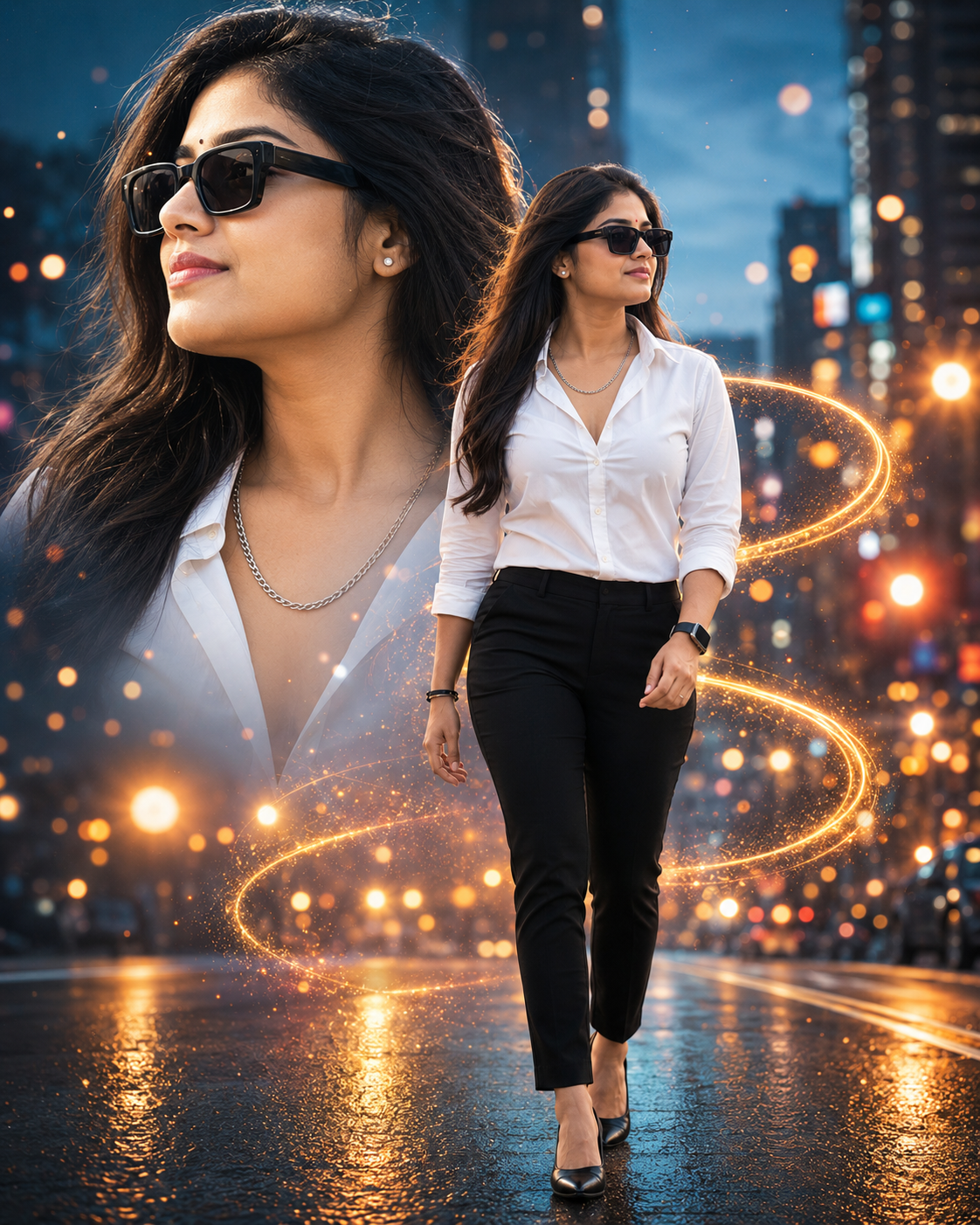
2. Premium Cinematic Double Exposure Indian Girl Prompt (Face Lock)
✨ AI Image Prompt
Create a premium cinematic double exposure portrait using the uploaded photo as the ONLY face reference.
IMPORTANT FACE LOCK:
Preserve the girl’s original face exactly as uploaded. Maintain 100% identical facial identity, hairstyle, forehead, eyebrows, eyes, nose, lips, jawline, ears, skin tone, facial proportions, age, expression, and overall identity. Do NOT beautify, replace, modify, or generate a different face.
Create a beautiful stylish young Indian woman with long silky black hair wearing premium black square sunglasses, a fitted white shirt with the top buttons open revealing a delicate silver chain necklace, slim-fit black trousers, elegant black heels, a black smartwatch, and a black bracelet.
Create a premium cinematic double exposure composition.
LEFT SIDE:
An ultra-detailed close-up portrait wearing black sunglasses, looking far left with a confident elegant expression.
FOREGROUND:
The same woman walking confidently toward the camera in full body with one hand swinging naturally, head slightly turned to the side, fashion runway style.
BACKGROUND:
Dreamy blue-hour luxury city road, modern skyline, glowing golden bokeh particles, floating sparks, cinematic mist, teal and warm orange color grading, swirling golden light trails wrapping behind the subject, reflective wet road, premium editorial atmosphere.
Photography Style:
Luxury fashion editorial photography, DSLR, 85mm portrait lens, 50mm full-body lens, HDR, ultra realistic skin texture, crystal clear facial details, cinematic lighting, shallow depth of field, symmetrical composition, ultra sharp focus, photorealistic, hyper realistic, 12K, masterpiece, premium quality.
No text.
No logo.
No watermark.
Negative Prompt:
different face, face swap, changed identity, male face, cartoon, anime, illustration, painting, low quality, blurry, duplicate face, extra face, extra person, bad anatomy, distorted body, fake skin, oversmooth skin, asymmetrical face, crossed eyes, bad hands, extra fingers, missing fingers, cropped body, cut legs, wrong hairstyle, watermark, logo, text, frame, jpeg artifacts, noise, unrealistic lighting, overexposed, underexposed, low resolution, ugly face, plastic skin.
How to Use This AI Prompt (Step by Step)
Step 1 – Copy the Prompt
सबसे पहले इस पेज पर दिया गया पूरा AI Prompt कॉपी करें।
Step 2 – Open Your Favorite AI Image Generator
इस Prompt को किसी ऐसे AI Image Generator में इस्तेमाल करें जो Image Reference / Photo Upload सपोर्ट करता हो।
Step 3 – Upload Your Photo
अब Upload Image या Add Reference Photo पर क्लिक करें और अपनी एक साफ, हाई-क्वालिटी फोटो अपलोड करें।
Best Photo Tips
- सामने से लिया गया फोटो (Front Face)
- चेहरा साफ दिखाई दे
- अच्छी रोशनी (Good Lighting)
- HD या High Resolution फोटो
- चेहरा किसी चीज़ से ढका न हो
- पूरा सिर और चेहरा दिखाई दे
Step 4 – Paste the Prompt
अब कॉपी किया हुआ पूरा Prompt (जिसमें Main Prompt और Negative Prompt शामिल है) Prompt बॉक्स में पेस्ट करें।
Step 5 – Keep Face Reference Enabled
यदि AI Generator में Reference Strength, Face Reference, Character Reference, या Identity Lock का विकल्प हो, तो उसे High या Maximum पर सेट करें। इससे आपके चेहरे की पहचान बेहतर तरीके से बनी रहती है।
Step 6 – Choose the Aspect Ratio
Aspect Ratio को 4:5 (Portrait) चुनें ताकि इमेज का लेआउट सही बने।
Step 7 – Generate the Image
अब Generate या Create बटन पर क्लिक करें।
AI कुछ सेकंड या मिनट में आपकी सिनेमैटिक इमेज तैयार कर देगा।
Step 8 – Download
जब रिज़ल्ट पसंद आ जाए, तो उसे HD या Highest Quality में डाउनलोड करें।
Best Results Tips
- High Quality Photo का उपयोग करें।
- Low Light या Blur फोटो से बचें।
- फोटो में केवल एक ही व्यक्ति होना बेहतर है।
- कैमरे की ओर देखते हुए फोटो अधिक अच्छे परिणाम देती है।
- यदि पहला परिणाम पसंद न आए, तो दोबारा Generate करें।
