- Your cart is empty
- Continue Shopping
Ultra Realistic Blended Collage Portrait Prompt | Face Lock AI Photo Prompt | Cinematic 4:5 Composite Portrait
- ai prompt, Blog
- Posted on
-
by GraphicsMart
- 0 comments
Ultra Realistic Blended Collage Portrait Prompt | Face Lock AI Photo Prompt | Cinematic 4:5 Composite Portrait
Product Description
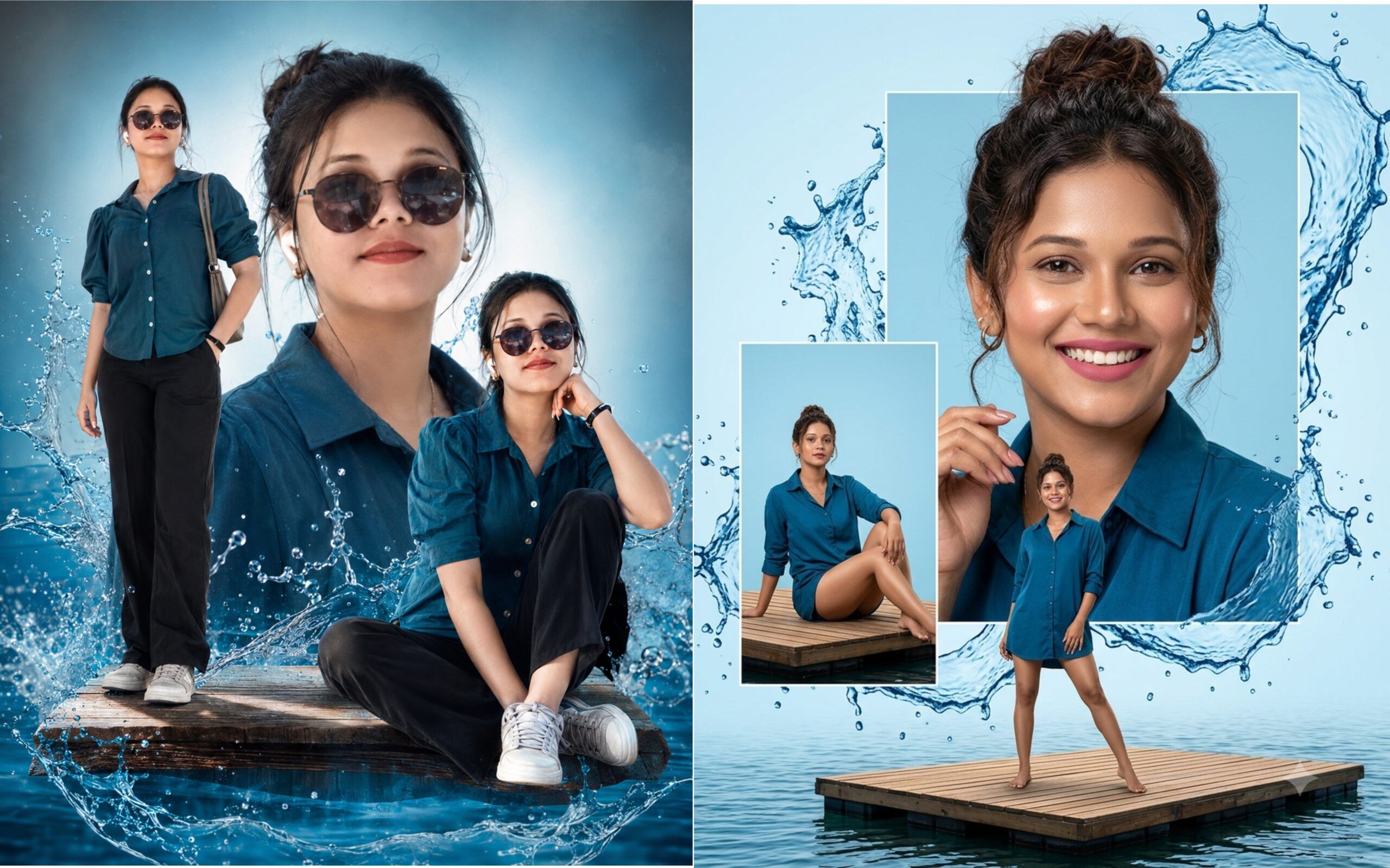
Transform any portrait into a stunning Ultra Realistic Blended Collage Composite with this premium AI image prompt. Designed for creators, photographers, designers, and AI art enthusiasts, this prompt preserves the uploaded person’s original facial identity while generating a luxurious cinematic collage featuring multiple dynamic poses.
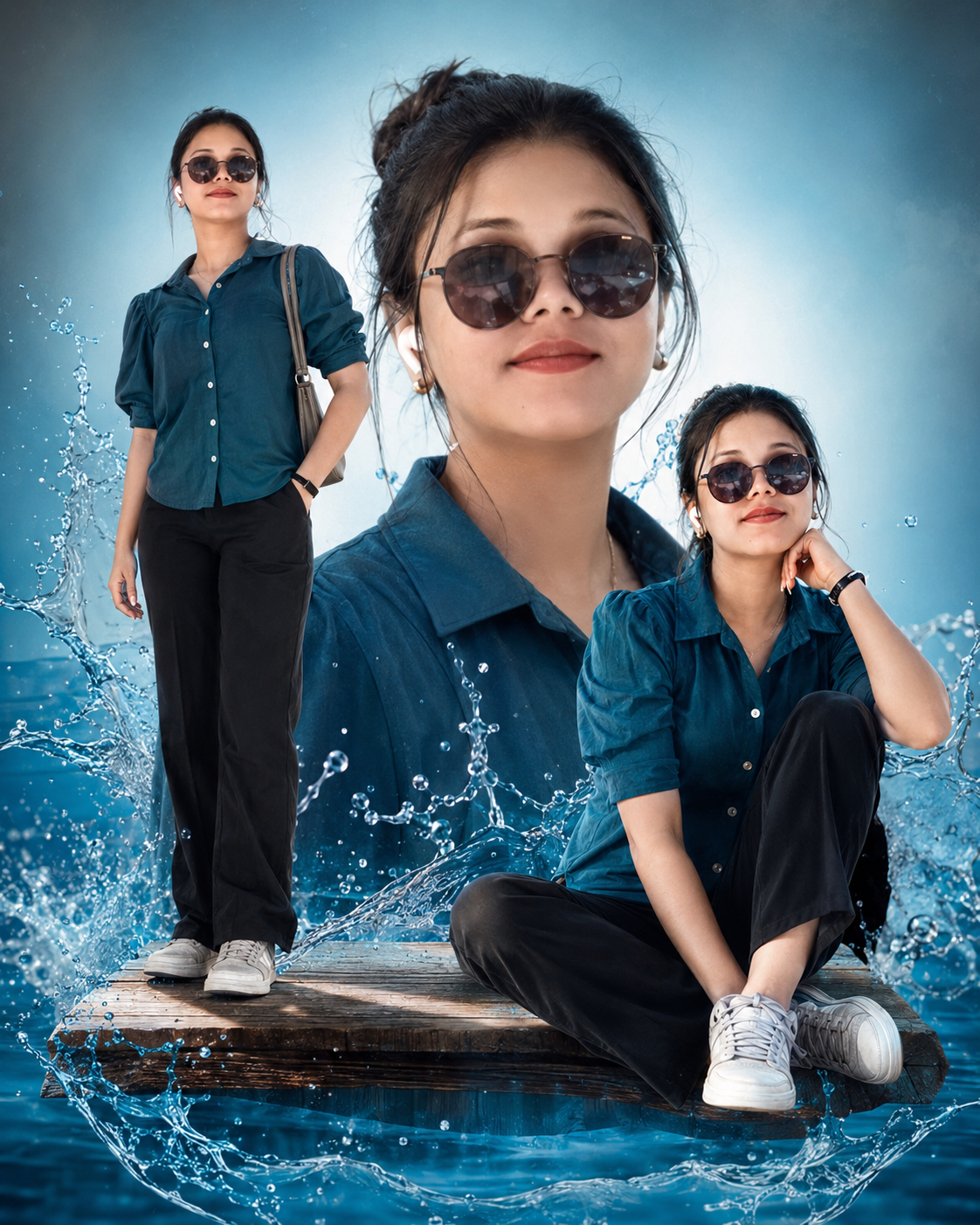
The final artwork includes a beautiful center close-up portrait, a full-body standing pose on a floating wooden platform, and a stylish kneeling pose with dramatic blue water splash effects. The subject is dressed in an elegant emerald blue button-up shirt, black pants, and white sneakers, creating a modern fashion-inspired appearance.
Advanced face preservation instructions ensure that the uploaded face remains identical without changing facial structure, skin tone, eyes, nose, lips, hairstyle, or expression. The result is a highly detailed, photorealistic composition with smooth glowing skin, natural makeup, glossy lips, cinematic lighting, artistic blending, and a premium light blue background.
Perfect for AI image generation platforms including ChatGPT Images, Midjourney, Flux, Stable Diffusion, Ideogram, Leonardo AI, and other compatible AI tools.
Features
- Ultra Realistic AI Portrait Prompt
- Original Face Identity Lock
- Three Dynamic Cinematic Poses
- Dramatic Blue Water Splash Effects
- Premium Fashion Style
- Floating Wooden Platform Scene
- Smooth Natural Skin Finish
- High Detail Photorealistic Output
- Professional 4:5 Composition
- Suitable for Multiple AI Platforms
✨ AI Image Prompt
Create an ultra-realistic high-end cinematic blended collage portrait using the uploaded person’s face as the exact identity reference. Preserve the facial features, face shape, eyes, nose, lips, skin tone and identity exactly as in the uploaded image. Do not change the person’s identity.
The subject has dark brown wavy hair styled in a messy bun or naturally relaxed loose hair, smooth glowing skin, fresh natural makeup, soft pink matte glossy lipstick, glossy matching nails, elegant and fashionable appearance.
Outfit: Emerald blue button-up shirt, black pants, white sneakers.
Create three dynamic compositions:
1. Large center close-up portrait with a warm natural smile.
2. Full-body standing confidently on a floating rustic wooden platform.
3. Sitting on one knee on the same floating wooden platform in a stylish pose.
Add dramatic blue water splash effects around the platform, realistic reflections, soft mist, cinematic lighting, volumetric light rays, premium editorial fashion photography, ultra detailed textures, realistic shadows, perfect anatomy, sharp focus, HDR, photorealistic, luxury magazine style, vibrant colors, light blue gradient background, depth of field, masterpiece quality, 8K resolution, highly detailed artistic composite portrait.
Aspect Ratio: 4:5
[NEGATIVE PROMPT]
low quality, blurry, blurry face, deformed face, different face, face swap, altered identity, cartoon, anime, illustration, CGI look, doll face, wax skin, plastic skin, extra fingers, missing fingers, extra arms, extra legs, duplicate person, bad anatomy, bad proportions, crossed eyes, lazy eye, distorted body, cropped head, cut off feet, floating limbs, unnatural pose, oversaturated colors, overexposed, underexposed, noisy image, pixelated, compression artifacts, watermark, logo, text, caption, signature, frame, border, duplicate objects, messy background, unrealistic water splash, poor lighting, bad shadows, motion blur, out of focus, jpeg artifacts.
How to Use This AI Prompt (Step-by-Step Guide)
Step 1: Open Your AI Image Generator
Use any AI platform that supports image prompts, such as:
- ChatGPT Images
- Flux AI
- GPT Image
- Midjourney
- Leonardo AI
- Ideogram
- Stable Diffusion
Step 2: Upload Your Photo
Click the Upload Image button and select the photo you want to use.
Best results:
- Clear front-facing photo
- Good lighting
- High-resolution image
- Face fully visible
- No heavy filters
Step 3: Copy the Prompt
Copy the complete prompt provided on this page.
Step 4: Paste the Prompt
Paste the prompt into the AI image generator’s prompt box.
Step 5: Keep Face Lock Instructions
Do not remove the Face Lock section from the prompt.
This ensures:
- Same face
- Same identity
- Same skin tone
- Same eyes
- Same nose
- Same lips
- No face swapping
Step 6: Select Aspect Ratio
Choose:
Aspect Ratio: 4:5
Recommended size:
- 1024 × 1280
- 2048 × 2560
- 4096 × 5120 (if supported)
Step 7: Enable High Quality
If your AI generator has quality settings, select:
- Ultra HD
- High Quality
- Photorealistic
- Maximum Detail
Step 8: Generate the Image
Click Generate and wait for the AI to create the portrait.
Generation usually takes 10–60 seconds, depending on the platform.
Step 9: Download the Result
After the image is generated:
- Review the result.
- If needed, regenerate for a different variation.
- Download the best version in high resolution.
Tips for Best Results
✔ Use a sharp, high-quality portrait.
✔ Avoid blurry or cropped faces.
✔ Make sure only one person’s face is visible.
✔ Keep the full prompt unchanged for the best output.
✔ If the platform supports it, use the included negative prompt.
✔ Generate 2–4 variations and choose the best one.
What the AI Will Create
- Original face preserved
- Ultra-realistic quality
- Three stylish poses
- Main smiling close-up portrait
- Full-body standing pose
- Kneeling pose on a floating wooden platform
- Dramatic blue water splash effects
- Emerald blue button-up shirt
- Black pants and sneakers
- Smooth glowing skin
- Natural light makeup
- Pink matte lipstick
- Glossy matching nails
- Cinematic lighting
- Artistic blended collage
- Light blue premium background
- 4:5 professional composition
This guide is suitable to publish on your website so visitors can easily upload their own photo, paste the prompt, and generate a similar high-quality AI portrait.
