- Your cart is empty
- Continue Shopping
Ultra Realistic Cinematic Double Exposure Indian Woman Portrait AI Prompt (16K UHD)
- ai prompt, Blog
- Posted on
-
by GraphicsMart
- 0 comments
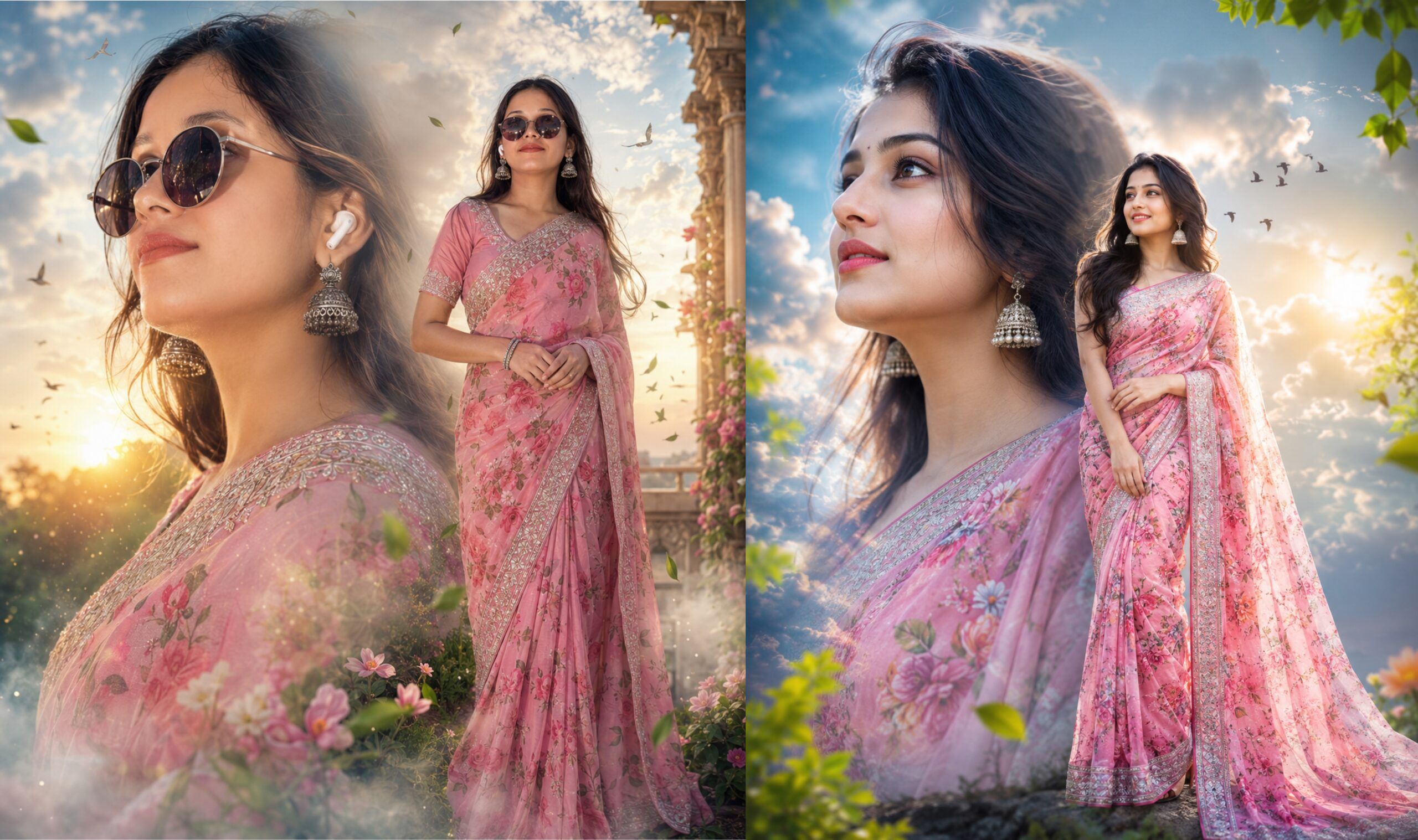
Ultra Realistic Cinematic Double Exposure Indian Woman Portrait AI Prompt (16K UHD)
Generate a premium cinematic double exposure portrait of a beautiful Indian woman in a pink floral saree with magical clouds, golden sunlight, flying birds, dreamy bokeh, and ultra-realistic 16K quality using this professional AI prompt.Elegant cinematic double exposure portrait of a beautiful Indian woman in a floral pink saree with dreamy sky and artistic lighting.
Features
- 16K Ultra HD Quality
- Cinematic Double Exposure Effect
- Beautiful Indian Woman
- Pink Floral Saree
- Silver Embroidered Border
- Dreamy Cloud Background
- Golden Sunlight
- Flying Birds
- Green Leaves
- Soft Bokeh Lighting
- Luxury Editorial Style
- Photorealistic Skin
- Ultra Detailed Fabric
- Poster Quality Output
- AI Ready Prompt
✨ AI Image Prompt
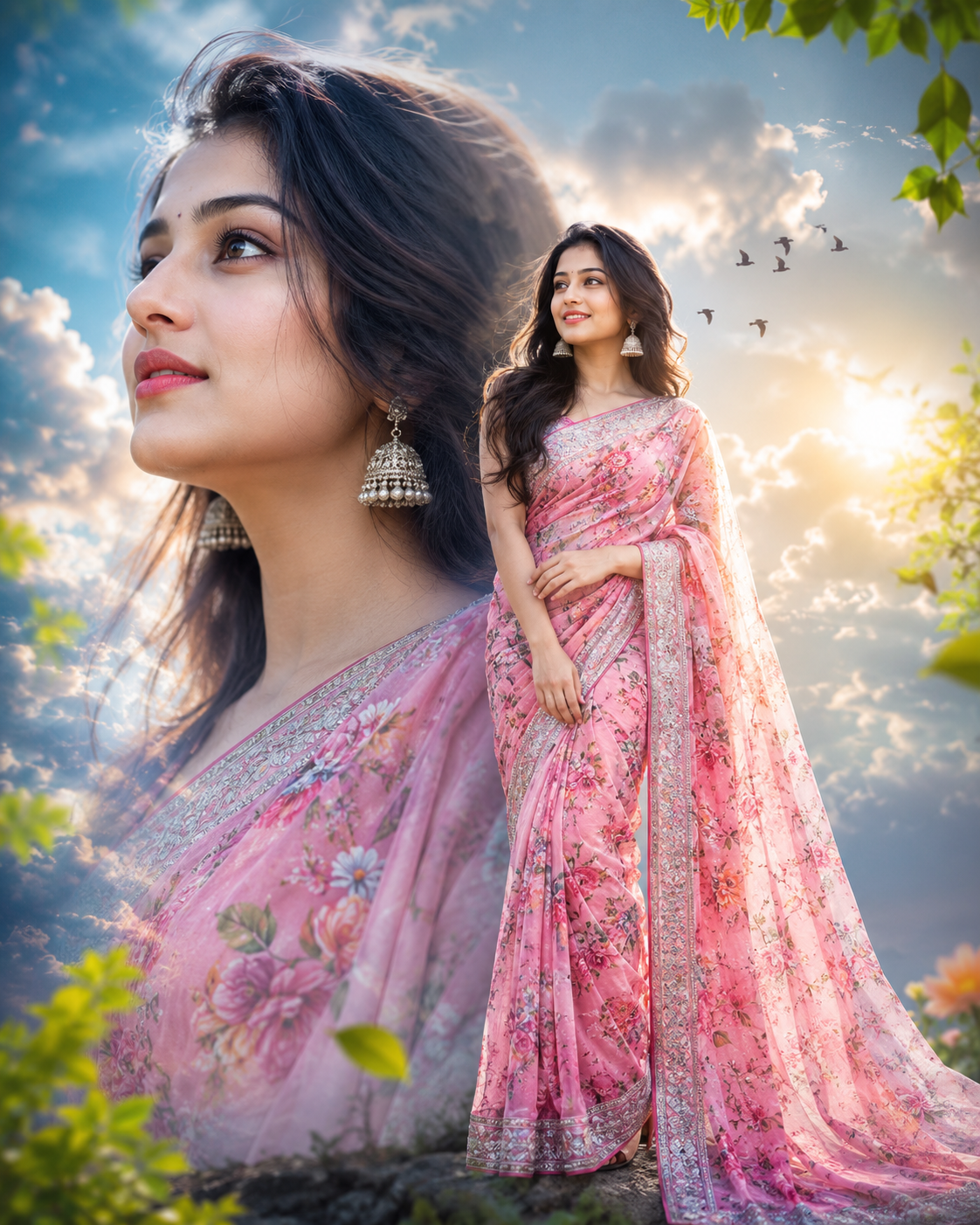
Create a premium ultra-realistic cinematic double exposure portrait of a beautiful young Indian woman in 16K UHD quality. The composition features a large close-up side profile on the left and a graceful full-length standing portrait on the right, perfectly blended in a dreamy artistic double exposure style.
She is wearing a luxurious pink floral print saree with an intricate silver embroidered border and matching elegant blouse. Her long, naturally wavy dark hair flows softly in the breeze. She wears traditional oxidized silver jhumka earrings, subtle makeup, natural glossy lips, expressive brown eyes, and a gentle smile.
The background is a magical blend of glowing golden sunlight, soft blue sky, fluffy white clouds, cinematic volumetric light rays, flying birds, floating green leaves, delicate flowers, mist, dreamy bokeh, and an ethereal fantasy atmosphere. The portrait should have perfect skin texture, realistic fabric details, premium color grading, HDR lighting, shallow depth of field, soft glow, ultra-detailed embroidery, realistic hair strands, natural shadows, and luxury editorial fashion photography aesthetics.
The composition should feel elegant, peaceful, romantic, and artistic with a high-end cinematic finish suitable for premium poster design and social media. Ultra realistic, photorealistic, masterpiece, award-winning photography, hyper detailed, 16K UHD, DSLR quality, sharp focus, global illumination, ray tracing, studio quality, Unreal Engine style.
Negative Prompt:
low quality, blurry, pixelated, noisy, watermark, logo, text, signature, cropped, bad anatomy, bad hands, extra fingers, missing fingers, duplicate body, duplicate face, deformed face, cross eye, lazy eye, unnatural smile, distorted proportions, oversaturated colors, flat lighting, cartoon, anime, CGI, plastic skin, overexposed, underexposed, artifacts, poor fabric texture, low resolution, bad composition, extra limbs, mutated body, stretched face, tilted eyes, unrealistic hair, compression artifacts.
AI Image बनाने का पूरा तरीका (Step by Step)
Step 1: ChatGPT या Google Gemini खोलें
नीचे दिए गए किसी भी AI टूल पर क्लिक करें:
step 2: New Chat शुरू करें
AI टूल खुलने के बाद New Chat या नया चैट पर क्लिक करें।
Step 3: अपनी फोटो अपलोड करें (यदि अपना चेहरा चाहिए)
अगर आप चाहते हैं कि बनी हुई इमेज में आपका ही चेहरा दिखाई दे, तो पहले अपनी एक साफ और HD फोटो अपलोड करें।
नोट: यदि आपको नया मॉडल (कोई दूसरी लड़की या व्यक्ति) बनाना है, तो फोटो अपलोड करने की आवश्यकता नहीं है।
Step 4: Main Prompt कॉपी करें
हमारी वेबसाइट पर दिया गया Main Prompt + Negative Prompt पूरा कॉपी करें।
Step 5: Prompt पेस्ट करें
कॉपी किया हुआ पूरा Prompt ChatGPT या Gemini में पेस्ट कर दें।
Step 6: यदि अपनी फोटो का चेहरा रखना है
Prompt के अंत में यह लाइन जोड़ें:
Use the uploaded photo as the ONLY face reference. Preserve 100% identical facial identity including face shape, eyes, nose, lips, hairstyle, skin tone, facial proportions, expression, and natural appearance.
Step 7: Aspect Ratio सेट करें
यदि AI टूल में विकल्प उपलब्ध हो, तो 4:5 Aspect Ratio चुनें।
Step 8: Generate पर क्लिक करें
अब Generate, Create Image या इमेज बनाएं बटन पर क्लिक करें।
AI कुछ ही सेकंड में आपकी इमेज तैयार कर देगा।
Step 9: रिज़ल्ट देखें
यदि पहली इमेज आपकी पसंद की नहीं आती, तो Prompt में थोड़ा बदलाव करें, जैसे:
- More cinematic lighting
- More realistic face
- Soft golden sunlight
- Dreamy clouds
- Better saree details
- Strong double exposure effect
फिर दोबारा Generate करें।
Step 10: इमेज डाउनलोड करें
जब इमेज पसंद आ जाए, तो उसे डाउनलोड करके सोशल मीडिया, पोस्टर, वेबसाइट या प्रिंट के लिए इस्तेमाल करें।
बेहतर रिज़ल्ट के लिए सुझाव
- हमेशा HD और साफ फोटो का उपयोग करें।
- पूरा Prompt कॉपी करें, कोई लाइन न हटाएँ।
- Negative Prompt भी साथ रखें।
- अगर अपना चेहरा चाहिए, तो पहले फोटो अपलोड करें।
- अलग-अलग स्टाइल के लिए केवल Prompt में छोटे बदलाव करें।
- AI टूल सीधे 16K इमेज नहीं बनाते; यदि 16K आउटपुट चाहिए, तो बाद में AI Upscaler का उपयोग करके रिज़ॉल्यूशन बढ़ाया जा सकता है।
इस प्रक्रिया का पालन करके कोई भी व्यक्ति आपकी वेबसाइट पर दिए गए Prompt की मदद से आसानी से प्रोफेशनल AI इमेज बना सकता है।
